
Malware Analysis Using Sandboxes
Overview
Room URL: https://tryhackme.com/room/malware-sandbox-aoc2025-SD1zn4fZQt
Difficulty: Medium
Category: Malware
Date Completed: 12/6/2025
Objectives
- The principles of malware analysis
- An introduction to sandboxes
- Static vs. dynamic analysis
- Tools of the trade: PeStudio, ProcMon, Regshot
Table of Contents
Introduction
Walk Through
Lessons Learned
Resources
Introduction
You discover a suspicious executable file, HopHelper.exe, lurking on an analyst's desktop—a potential threat that demands investigation. Rather than blindly executing it and risking system compromise, you must apply systematic malware analysis techniques to understand its true nature, capabilities, and malicious intent. By combining static analysis (examining the file without execution) and dynamic analysis (observing its behavior in a sandboxed environment), you'll uncover exactly how this malware operates, what persistence mechanisms it employs, and how it communicates with attackers—transforming fear into knowledge and defensive strategy.
Key Concepts
- Static Analysis: Inspecting files for checksums, strings, imports, and resources without execution
- Dynamic Analysis: Observing malware behavior through registry monitoring (Regshot) and process analysis (ProcMon)
- Golden Rule: Never execute potentially malicious code on systems you care about—always use isolated sandboxes
Walk Through
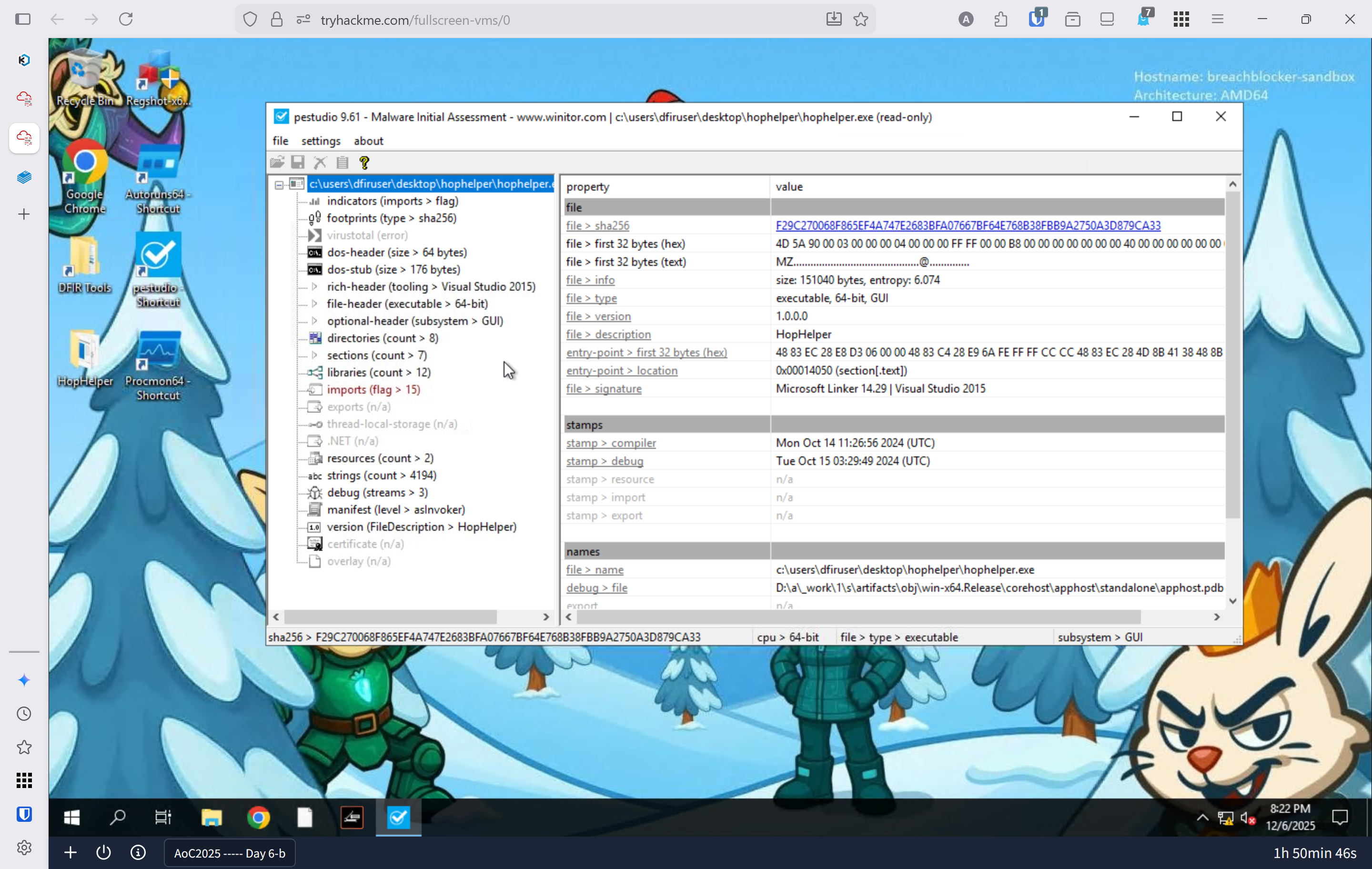
- Static analysis: What is the SHA256Sum of the HopHelper.exe?
- Launch the Windows enviroment
- Open
PEStudio CTRL + Oto open file- Open
hophelper.exe F29C270068F865EF4A747E2683BFA07667BF64E768B38FBB9A2750A3D879CA33
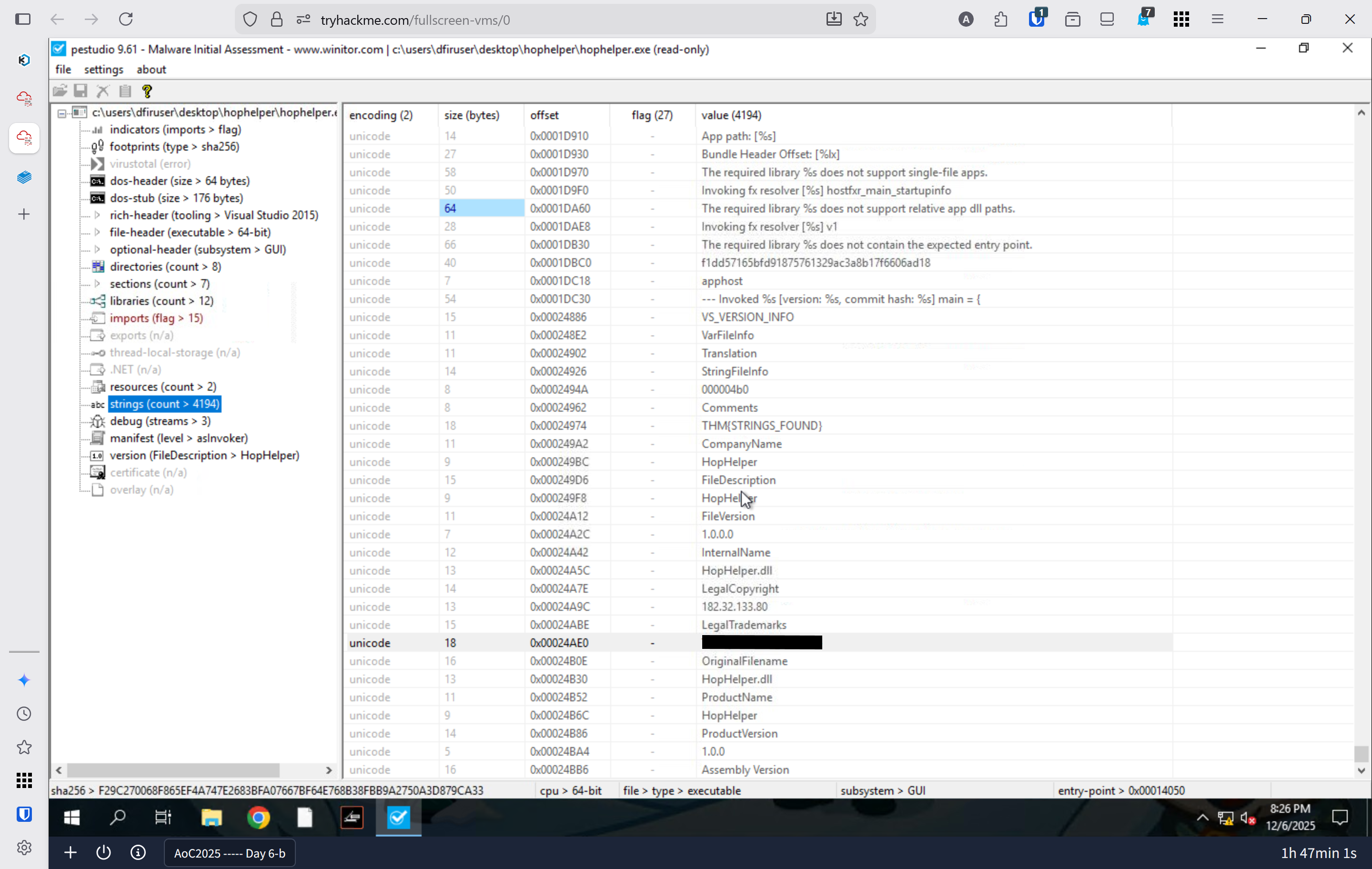
- Static analysis: Within the strings of HopHelper.exe, a flag with the format THM{XXXXX} exists. What is that flag value?
- In PE studio click strings on the left
- Scroll through the strings on the right
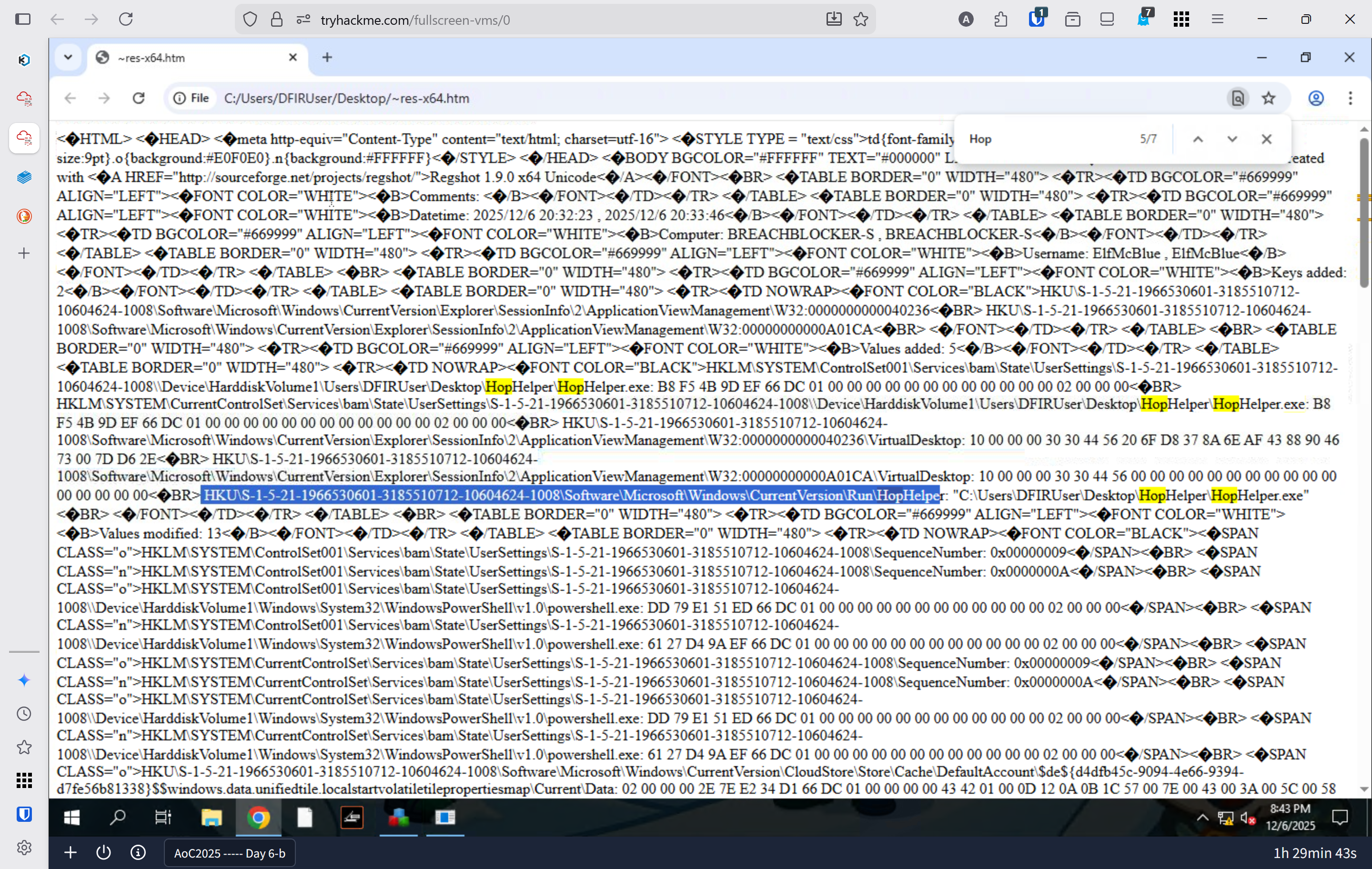
- What registry value has the HopHelper.exe modified for persistence?
- Launch
regshot - Changed output to
Desktop - Click shot 1
- After finsihed open the potential malware file
- Then click shot 2
- After finished click compare
- Launch
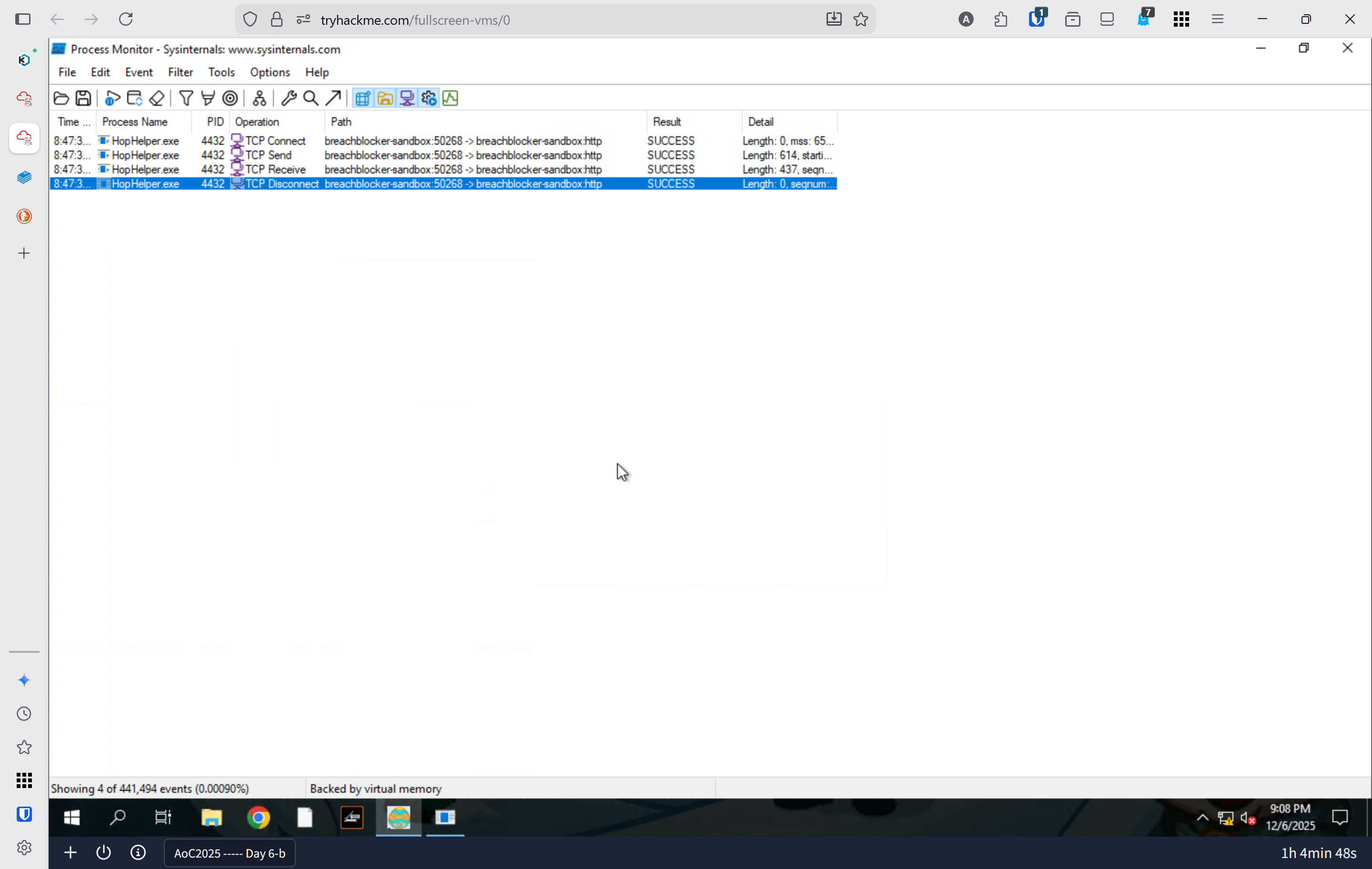
- Dynamic analysis: Filter the output of ProcMon for "TCP" operations. What network protocol is HopHelper.exe using to communicate?
- Open
ProcMon - Open
HopperHelper.exe - Wait for all processes to load
- Click the capture button
CTRL + Lfor filterProcess NameisHopHelper.exeOperationcontainstcphttp
- Open
Lessons Learned
- Static analysis provides foundational threat intelligence without risking system compromise—checksums enable file tracking across networks, while string extraction reveals command infrastructure and attack vectors that inform defensive blocking strategies.
- Dynamic analysis in sandboxed environments reveals malware's true operational behavior—registry modification patterns expose persistence mechanisms, and process monitoring uncovers network communications, allowing defenders to implement targeted blocking rules, registry hardening, and behavioral detection signatures.