Log Analysis with Splunk
Overview
Room URL: https://tryhackme.com/room/splunkforloganalysis-aoc2025-x8fj2k4rqp
Difficulty: Medium
Category: SOC Monitoring
Date Completed: 12/3/2025
Objectives
- Ingest and interpret custom log data in Splunk
- Create and apply custom field extractions
- Use Search Processing Language (SPL) to filter and refine search results
- Conduct an investigation within Splunk to uncover key insights
Table of Contents
Introduction
Walk Through
Lessons Learned
Resources
Introduction
This is an introduction to the room.
Walk Through
- Enable the splunk online instance (Logs are already ingested upon vm starting)
- What is the attacker IP found attacking and compromising the web server?
- Search term
index=main& timeframeAll Time- 2 source types.
web_traffic&firewall_logs - Webserver local ip
10.10.1.5
- 2 source types.
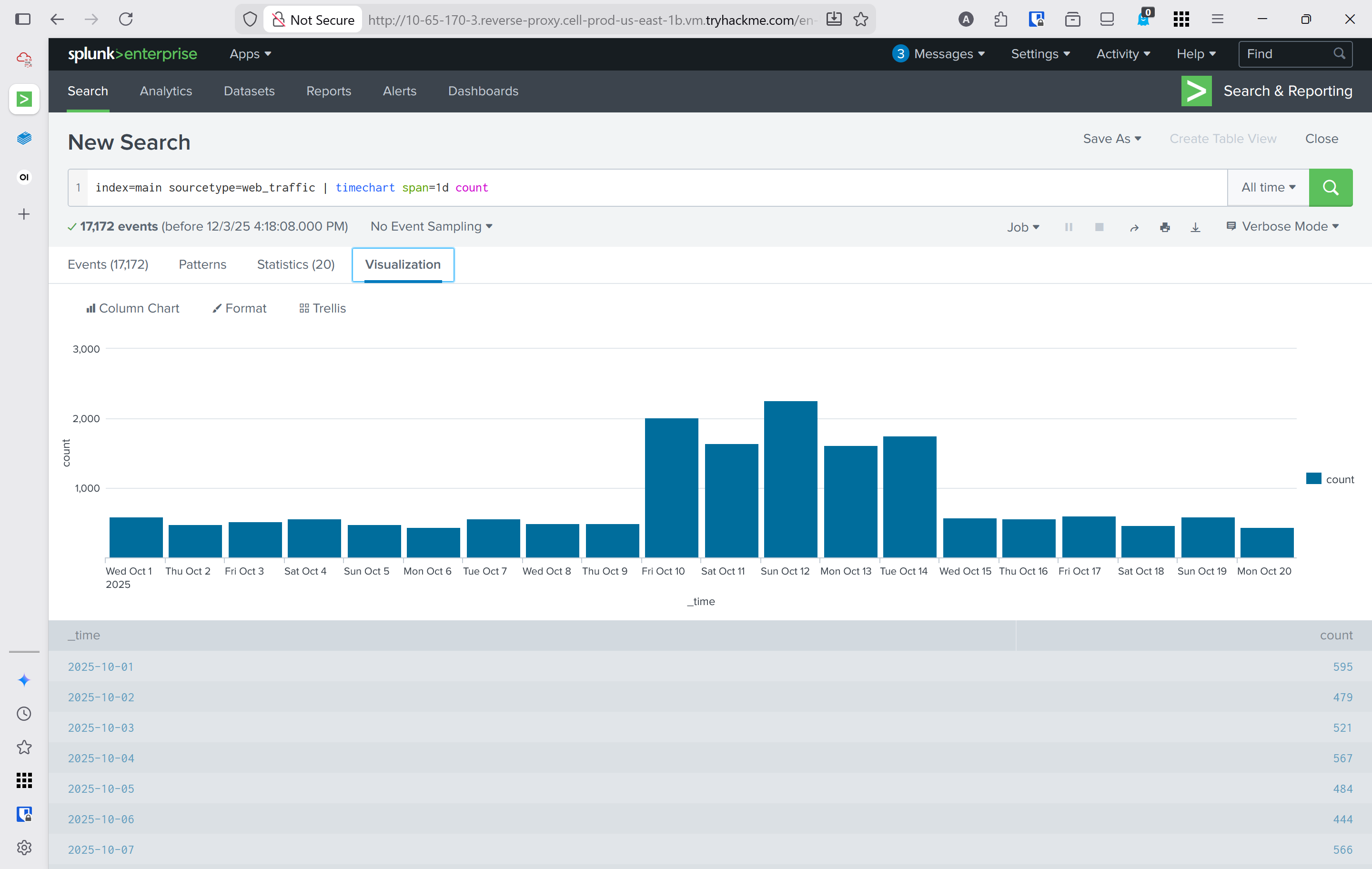
index=main sourcetype=web_trafficto view just web trafficindex=main sourcetype=web_traffic | timechart span=1d countto visualize the timeline- Reverse the query to show the days with the max number at the beginning
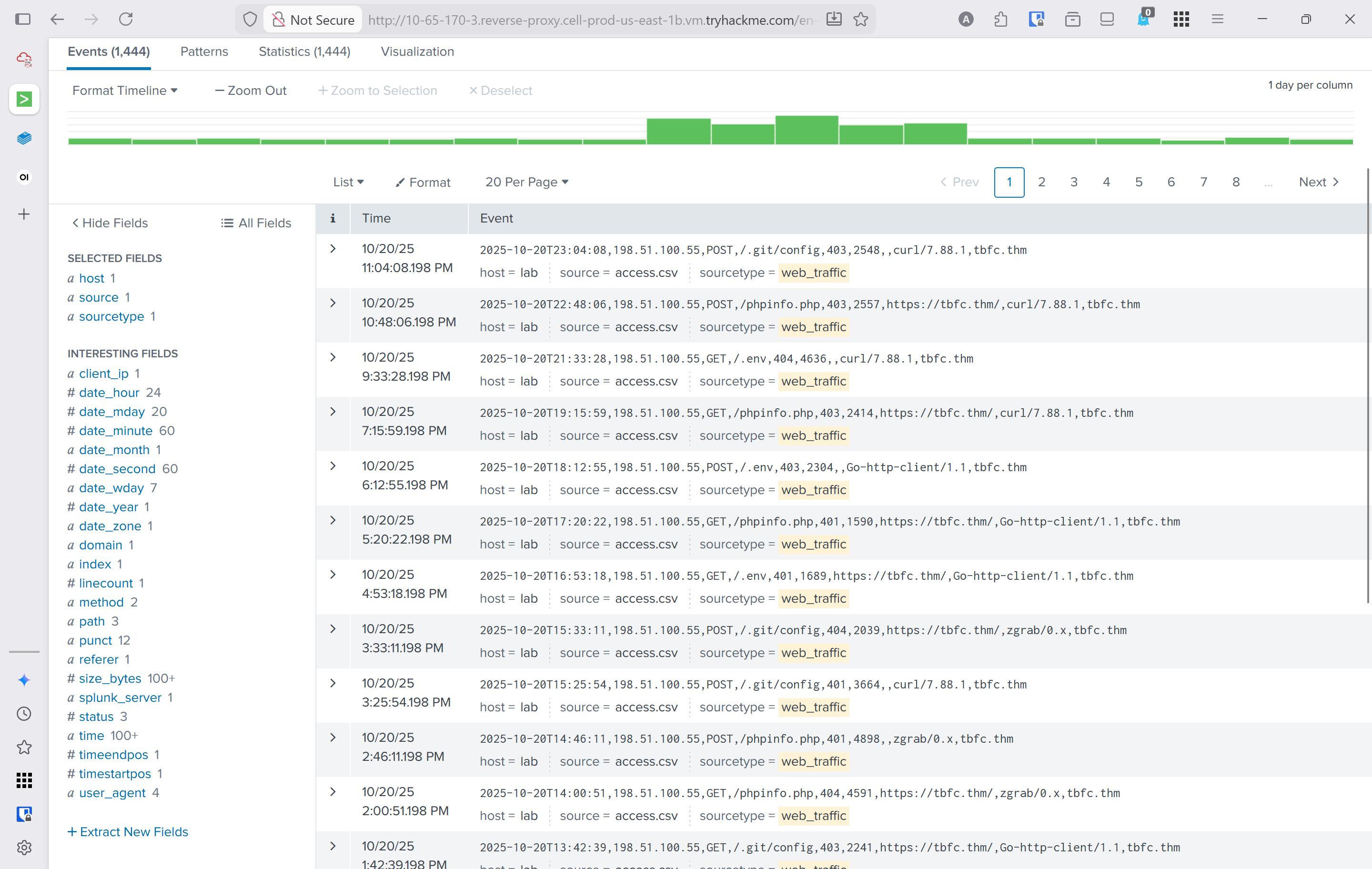
Search query: index=main sourcetype=web_traffic | timechart span=1d count | sort by count | reverse - Using the events tab to see data about the events and interesting fields
client_iprevealed198.51.100.55with7,876entries
- Search term
- Which day was the peak traffic in the logs? (Format: YYYY-MM-DD)
- Using the three interesting fields displayed the year, month, and day with the peak traffic
date_yeardate_monthdate_mday October 12, 2025
- Using the three interesting fields displayed the year, month, and day with the peak traffic
- What is the count of Havij user_agent events found in the logs?
- This can be found in the
user_agentinteresting field. 993
- This can be found in the
- How many path traversal attempts to access sensitive files on the server were observed?
- Filtering out benign values by adding
user_agent!=*Mozilla* user_agent!=*Chrome* user_agent!=*Safari* user_agent!=*Firefox*to the query- This query would be used to help narrow down suspicous IP's
sourcetype=web_traffic user_agent!=*Mozilla* user_agent!=*Chrome* user_agent!=*Safari* user_agent!=*Firefox* | stats count by client_ip | sort -count | head 5
- This query would be used to help narrow down suspicous IP's
- Reconnisance
sourcetype=web_traffic client_ip="198.51.100.55" AND path IN ("/.env", "/*phpinfo*", "/.git*") | table _time, path, user_agent, statuscurl&wgetwere met with404401and403
- Vulnerability testing
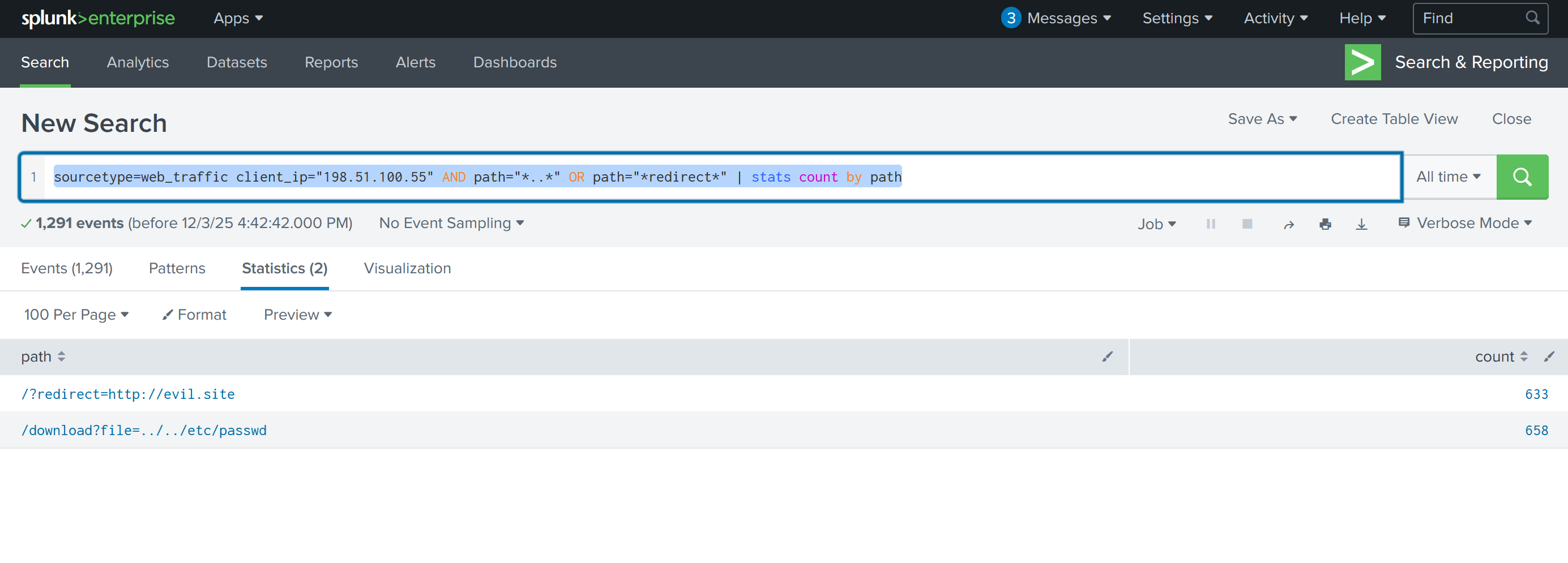
sourcetype=web_traffic client_ip="198.51.100.55" AND path="*..*" OR path="*redirect*"- This shows what the attackers were trying to access
- sourcetype=web_traffic client_ip="198.51.100.55" AND path=".." OR path="redirect" | stats count by path
- This displays how many attempts there were for each path.
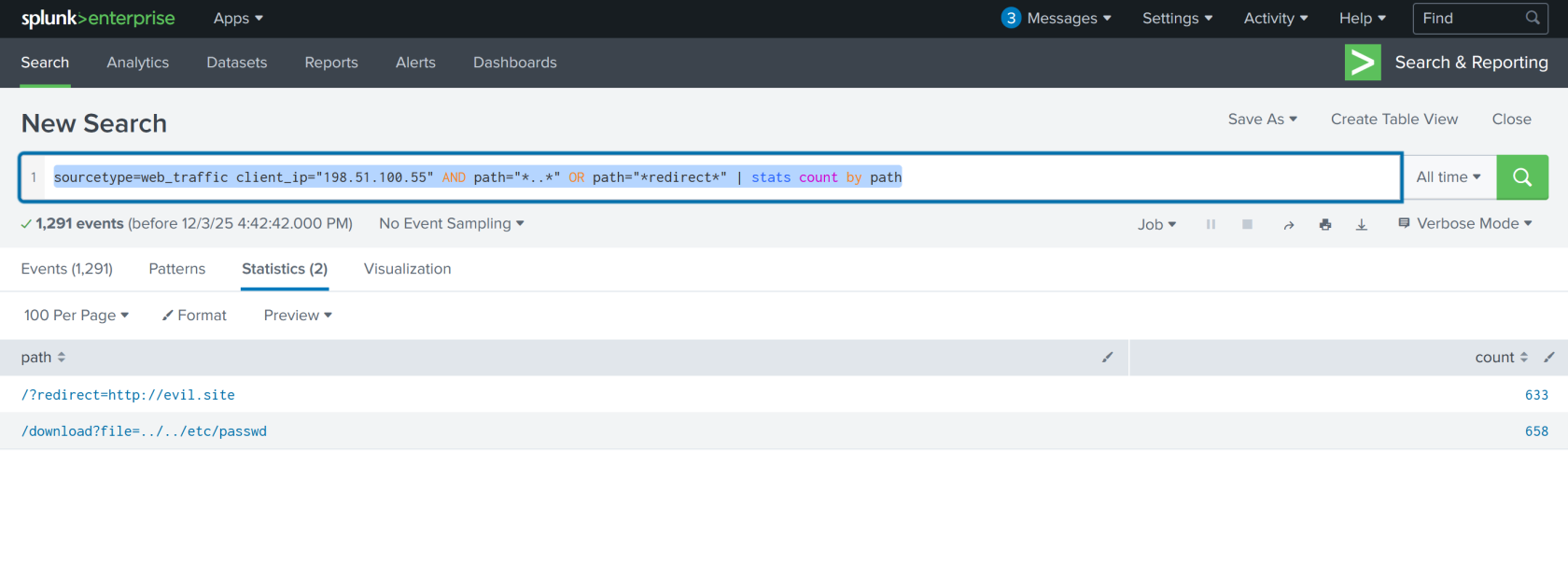
658attempts to access/etc/passwd633url redirects
- Filtering out benign values by adding
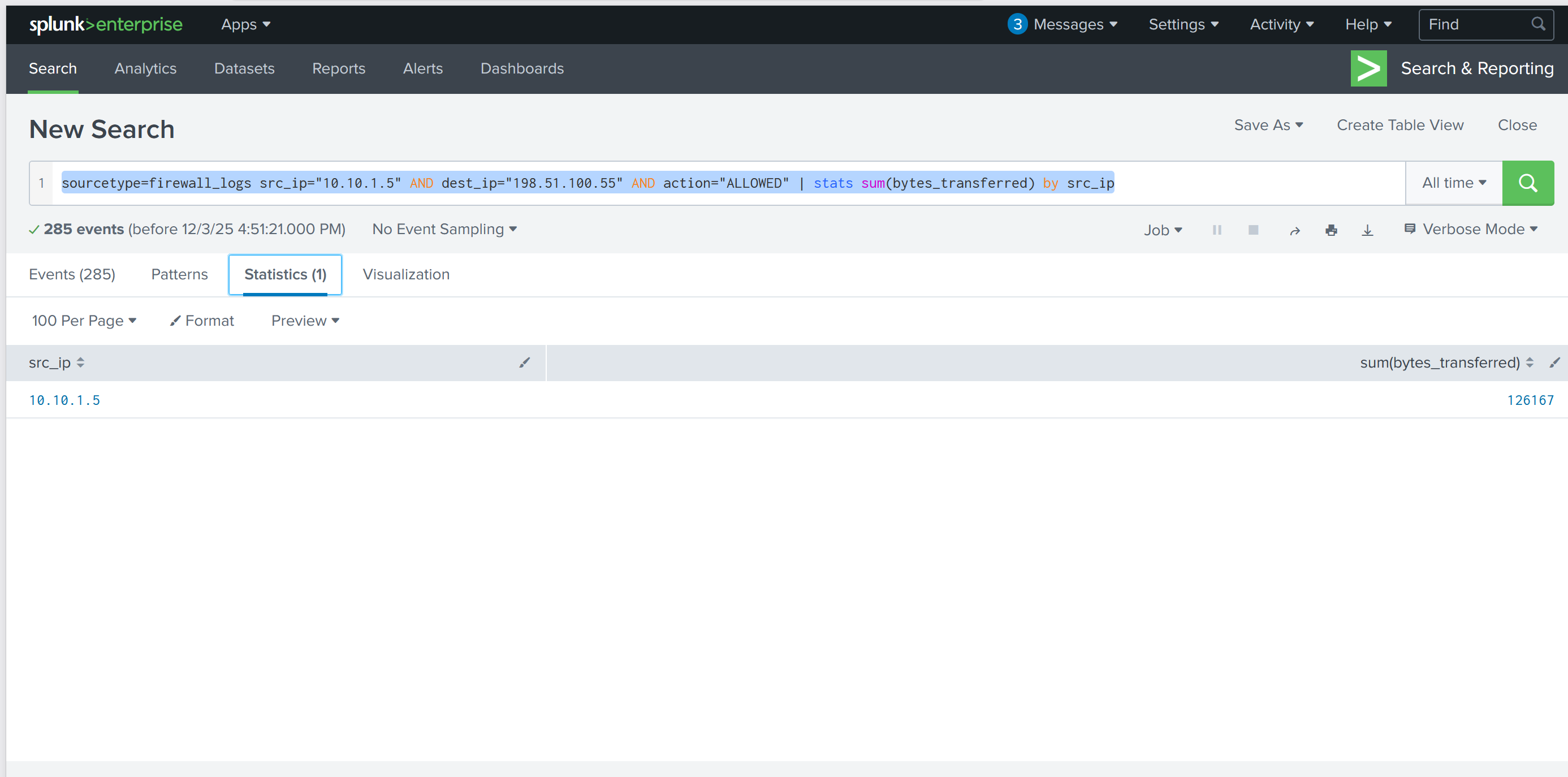
- Examine the firewall logs. How many bytes were transferred to the C2 server IP from the compromised web server?
sourcetype=firewall_logs src_ip="10.10.1.5" AND dest_ip="198.51.100.55" AND action="ALLOWED" | table _time, action, protocol, src_ip, dest_ip, dest_port, reason- view the c2 events
sourcetype=firewall_logs src_ip="10.10.1.5" AND dest_ip="198.51.100.55" AND action="ALLOWED" | stats sum(bytes_transferred) by src_ip- count the bytes transfered
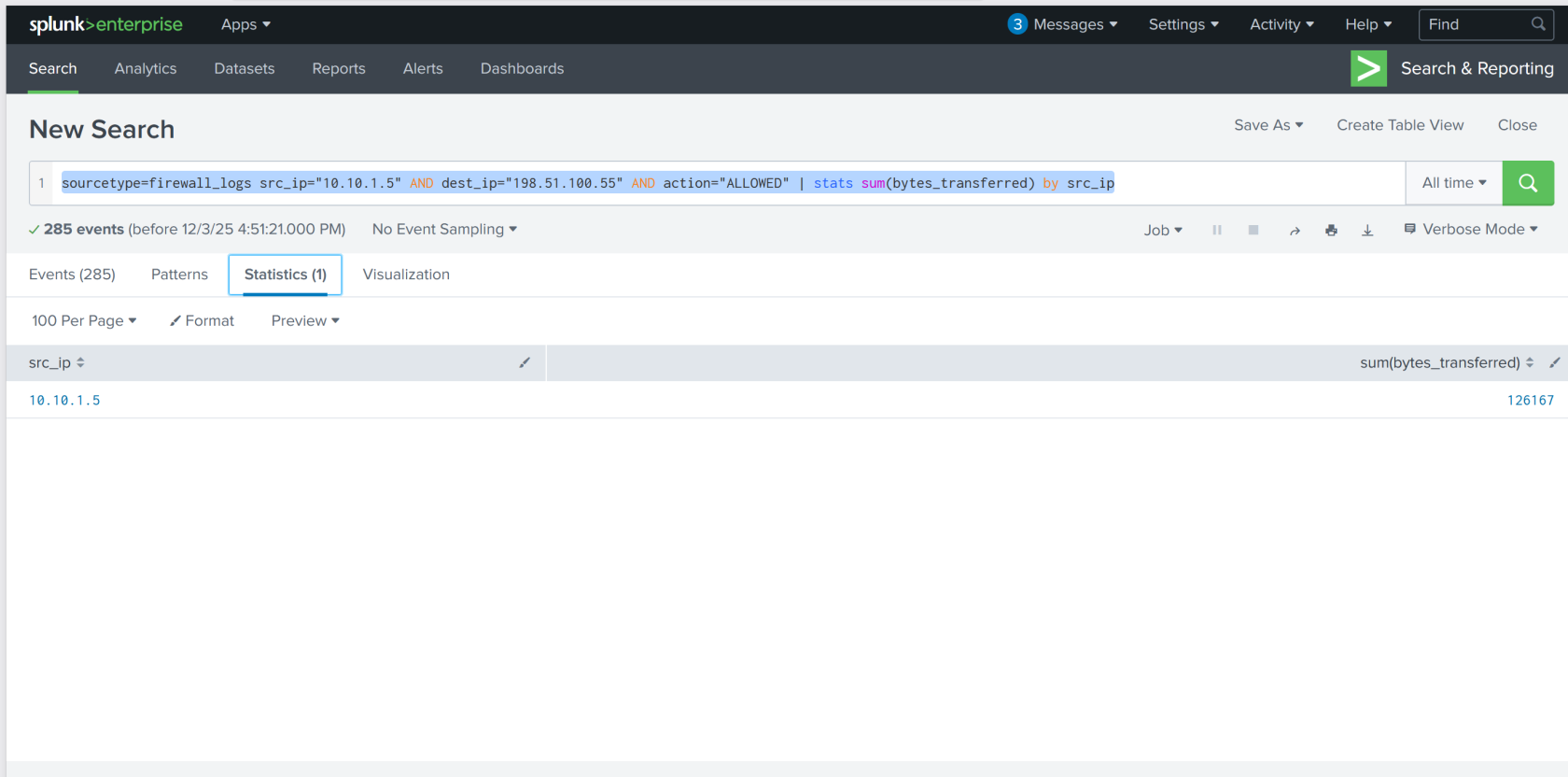
126167