Network Discovery - Scan-ta Clause
Day 7
Discover how to scan network ports and uncover what is hidden behind them.
Discover Network Services
Overview
Room URL: https://tryhackme.com/room/networkservices-aoc2025-jnsoqbxgky
Difficulty: Easy
Category: Network Scanning
Date Completed: 12/7/2025
Objectives
- Learn the basics of network service discovery with Nmap
- Learn core network protocols and concepts along the way
- Apply your knowledge to find a way back into the server
Table of Contents
Introduction
Walk Through
Lessons Learned
Resources
Introduction
After regaining knowledge of the tbfc-devqa01 QA server's IP address, TBFC's security team launches a counterattack to reclaim the compromised system from HopSec's grasp. The server greets you with a defaced website proclaiming "Pwned by HopSec," but beneath this digital taunt lies a vulnerability: exposed services running on non-standard ports. Your mission is to systematically discover these hidden services through multi-layered port scanning, extract three critical keys scattered across different protocols (FTP, custom TCP, and DNS), and use them to access a secret admin console. Once inside, you'll uncover additional internal services and retrieve the final flag from the MySQL database, exposing the full extent of the breach and paving the way for complete system recovery.
Key Information
- Target Server:
tbfc-devqa01QA server (IP:10.81.144.241) - currently compromised and defaced with the message "Pwned by HopSec" - Multi-Protocol Attack Surface: The server exposes five key services across different ports and protocols:
- Port 22/TCP: SSH (OpenSSH 9.6p1 Ubuntu-3ubuntu13.14)
- Port 80/TCP: HTTP web server (defaced landing page)
- Port 21212/TCP: FTP server (vsFTPd 3.0.5) - contains
tbfc_qa_key1 - Port 25251/TCP: Custom TBFC maintd v0.2 application - contains
tbfc_qa_key2 - Port 53/UDP & TCP: DNS server - contains
tbfc_qa_key3in TXT records
- Three Critical Keys Required: All keys follow the format
KEYNAME:KEYand are distributed across:- FTP anonymous login on port 21212
- Netcat connection to custom TBFC app on port 25251 (requires
GET KEYcommand) - DNS TXT record query via
dig @10.81.144.241 TXT key3.tbfc.local
- Internal Services Discovered Post-Access: After gaining admin console access using the combined keys (
e3ster_15_th3_n3w_xm45), additional localhost-only services are revealed:- Port 3306/TCP (127.0.0.1): MySQL database (
tbfcqa01) containing the final flag in theflagstable - Port 8000/TCP (127.0.0.1): Internal application service
- Port 7681/TCP (127.0.0.1): Additional internal service
- Port 3306/TCP (127.0.0.1): MySQL database (
- Reconnaissance Tools:
nmapfor TCP/UDP port scanning with banner detection (-p-for all ports,--script=bannerfor service identification,-sUfor UDP scanning)ftpclient for anonymous FTP accessnc(Netcat) for custom protocol interactiondigfor DNS queriesss -tunlpornetstatfor listing active listening ports post-exploitation
Walk Through
- Start the target machine and connect to the VPN
- What evil message do you see on top of the website?
- IP
10.81.144.241- In web-browser go to
http://10.81.144.241
- In web-browser go to
- Top Banner says
TBF QAPwned by HopSec
- IP
- What is the first key part found on the FTP server?
- Run a simple scan on
10.81.144.241usingnmap nmap 10.81.144.241- Results show
22/tcp openand80/tcp open 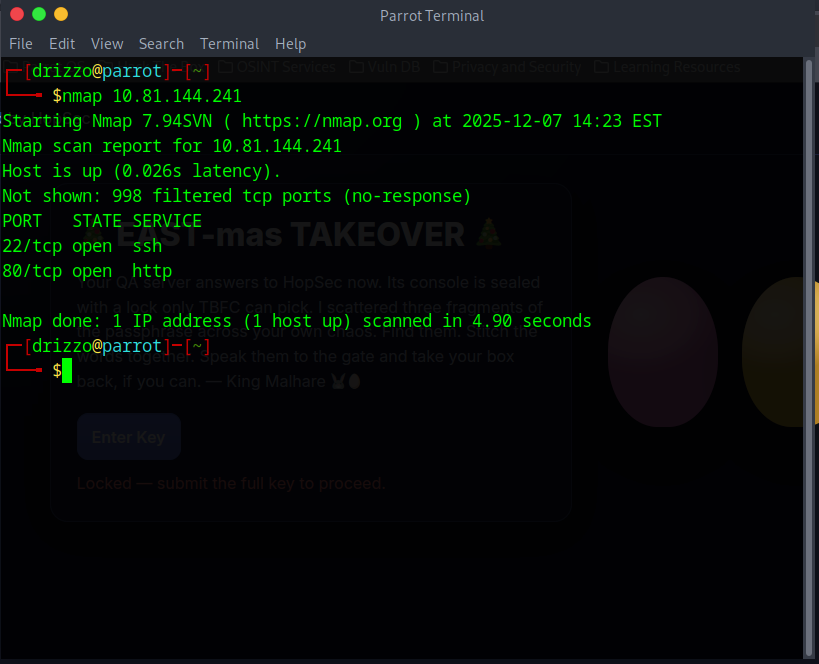
- Results show
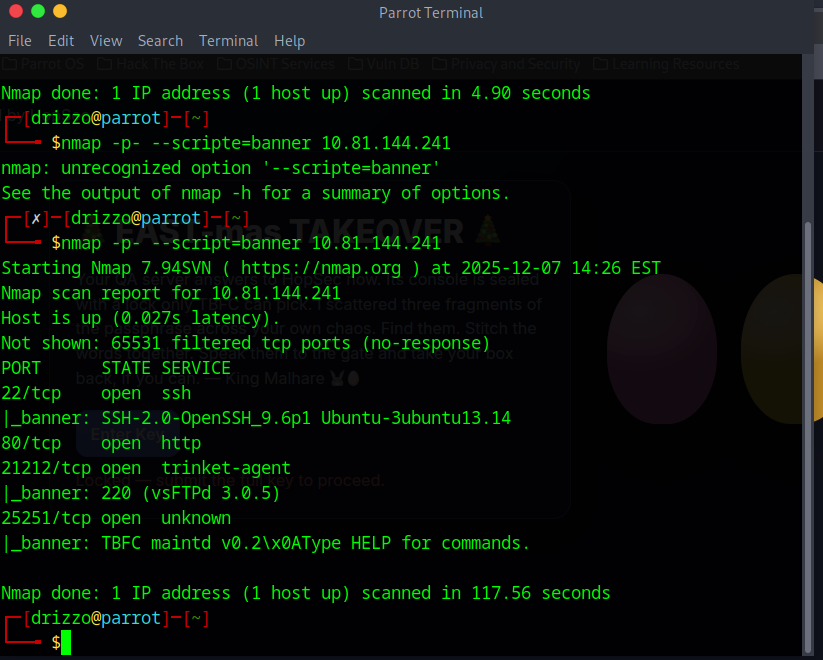
nmap -p- --script=banner 10.81.144.241-p-scans all ports--script=bannershows what is likely behind the ports- This san revealed two extra ports
21212/tcp open(vsFTPd 3.0.5)25251/tcp open(TBFC maintd v0.2x0A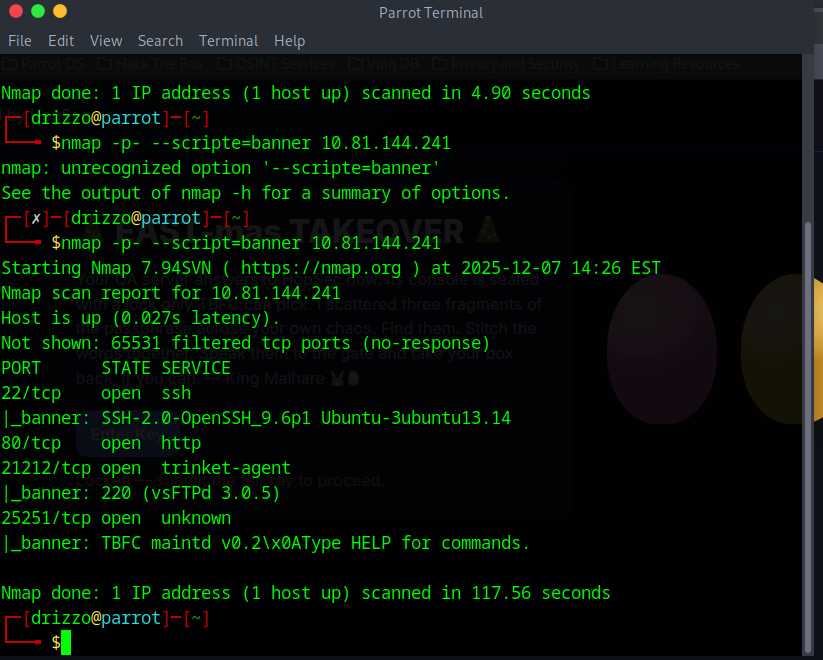
- Opened
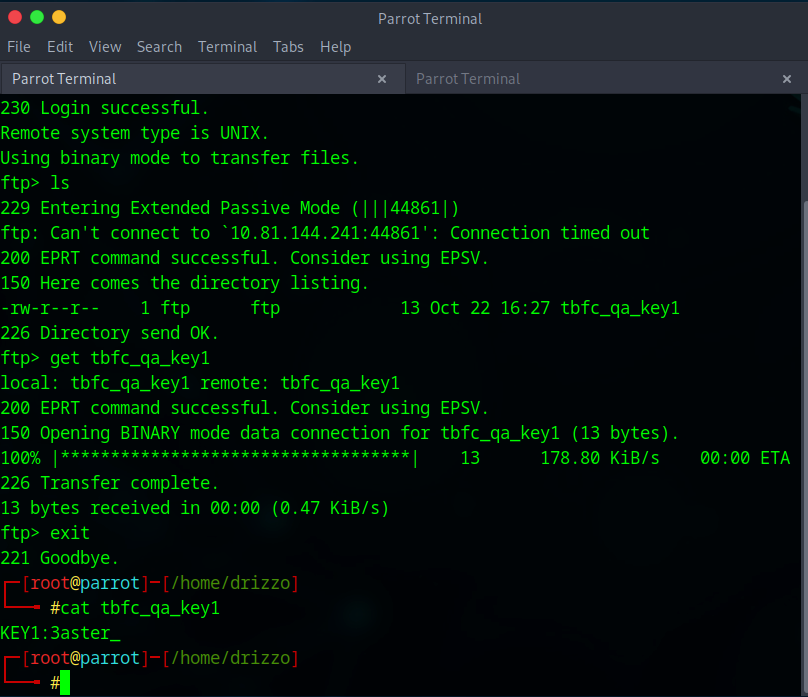
FTPconnection in usingftp 10.81.144.241 21212- username
anonymous lsto list filesget tbfc qa_key1to download fileexitcat tbfc_qa_key1to view key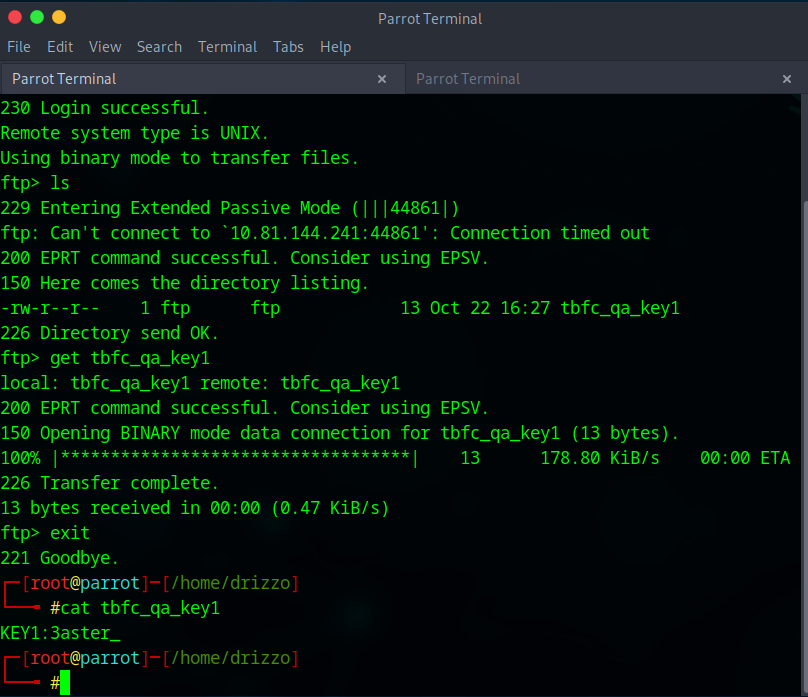
- username
- Run a simple scan on
- What is the second key part found in the TBFC app?
- Use
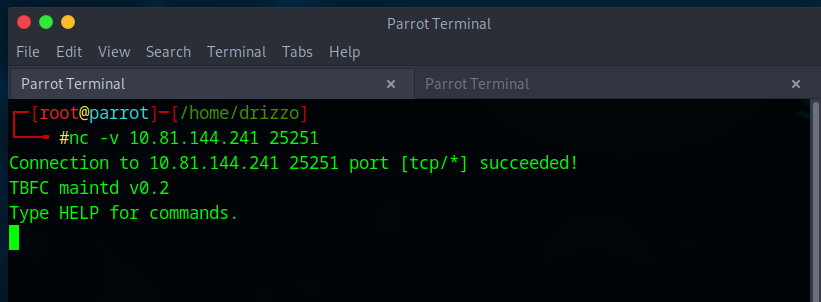
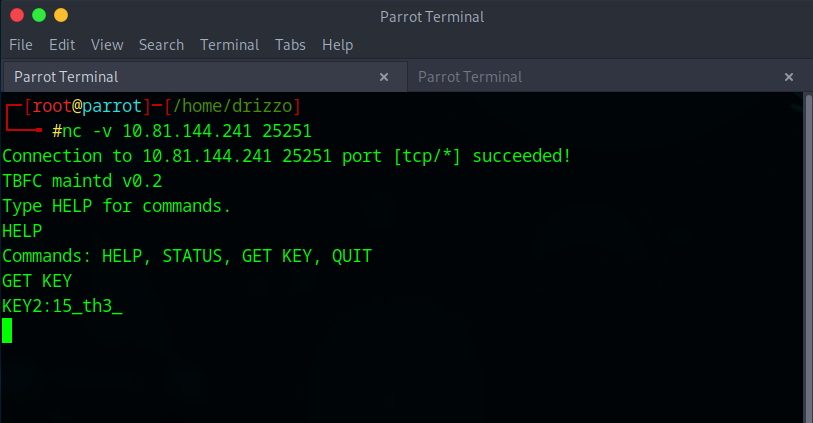
netcatto get more information from port25251 nc -v 10.81.144.241 25251- Use
HELPto view commands - Use
GET KEYto view key
- Use
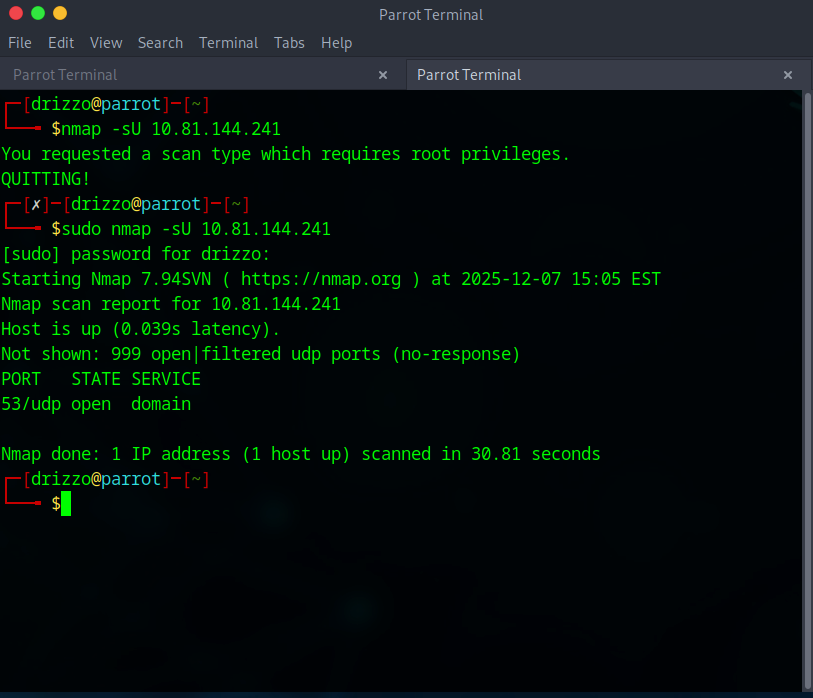
- What is the third key part found in the DNS records?
1. Use
nmapto scanUDPports instead ofTCP2.nmap -sU 10.81.144.2411.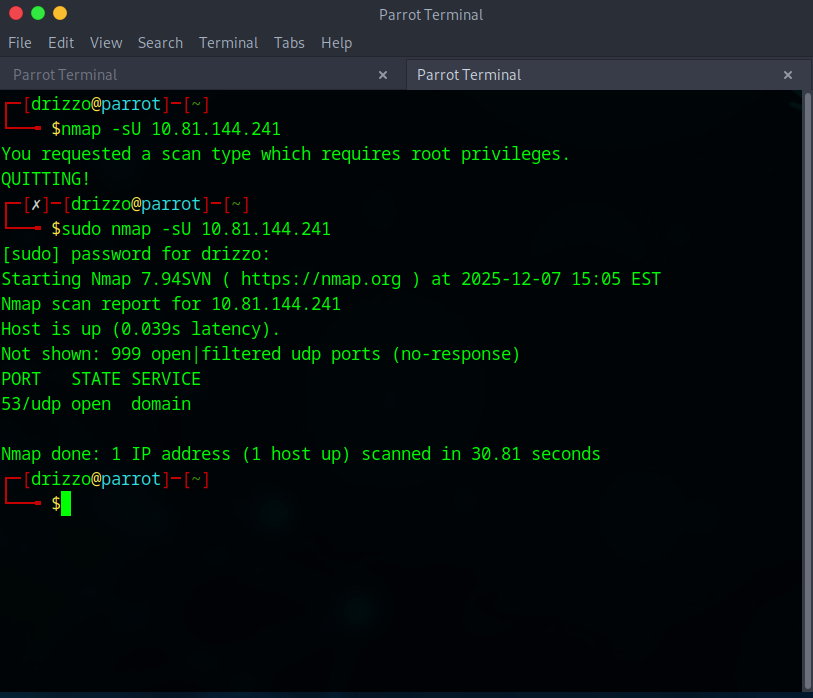 3. Use
 digto see records on DNS server 1.dig @10.81.144.241 TXT key3.tbfc.local1.
- Which port was the MySQL database running on?
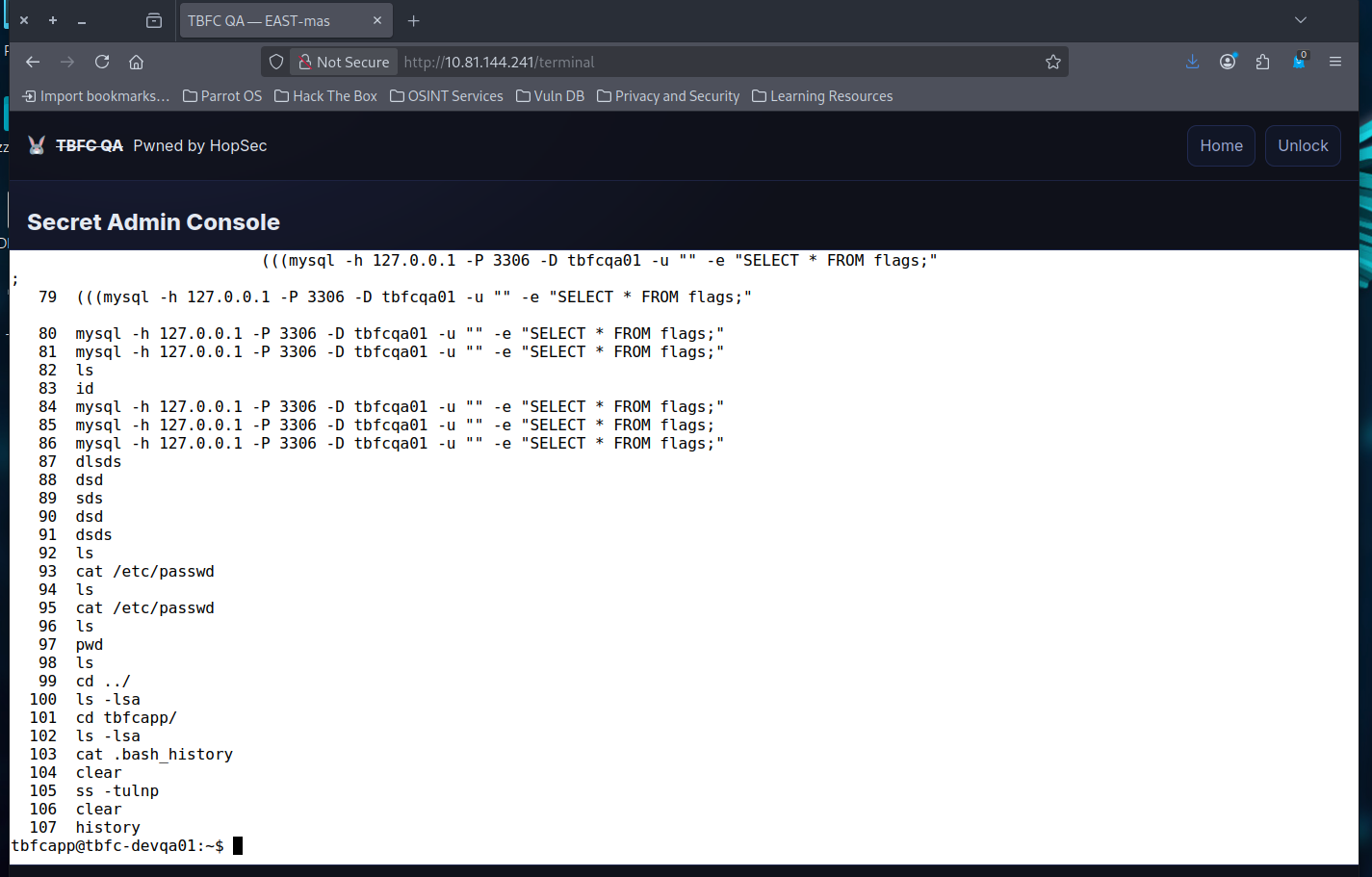
- Log into the admin portal at
http://10.81.144.241 - use
e3ster_15_th3_n3w_xm45to access portal - Can use
histroyto see the terminal history- That reveals ports
56123and3306used inmysqlcommands
- That reveals ports
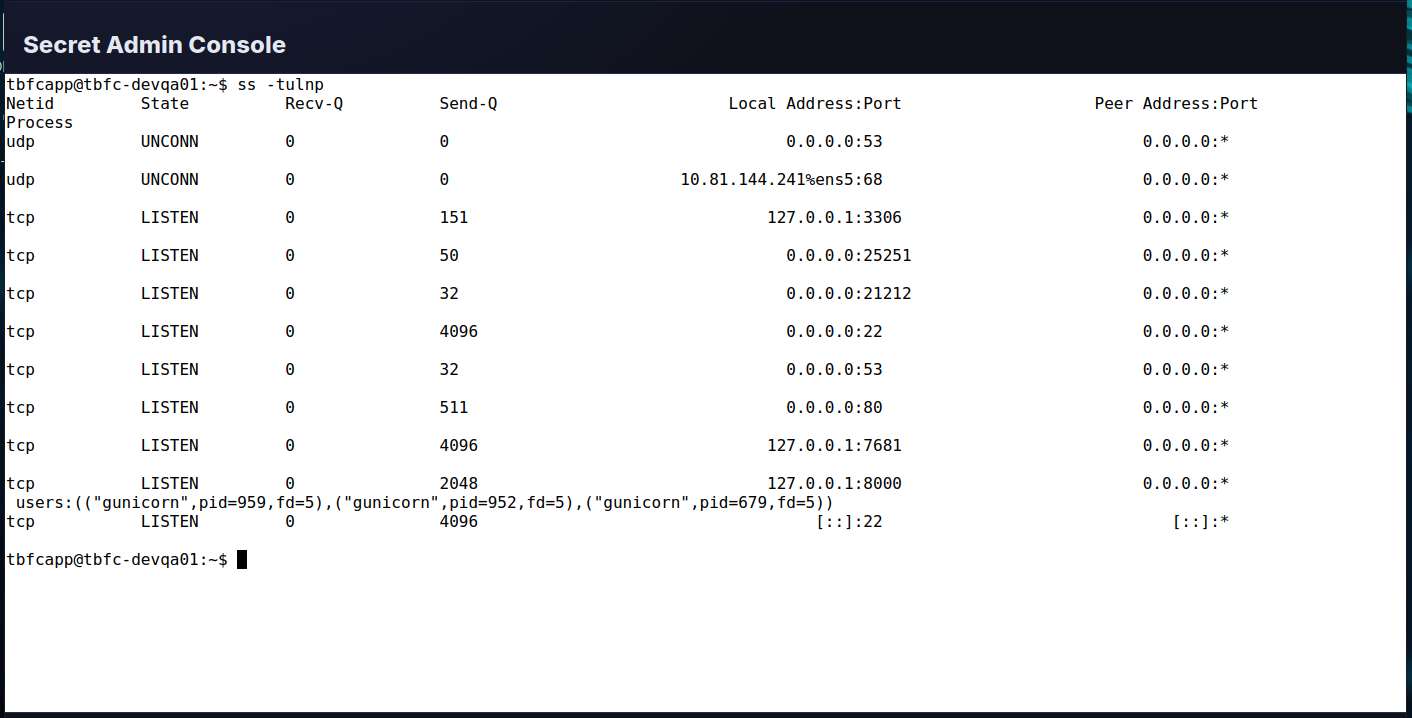
- Can also use
ss -tulnpto see open listening connections- This reveals port
3306is active and listening on the localhost
- This reveals port
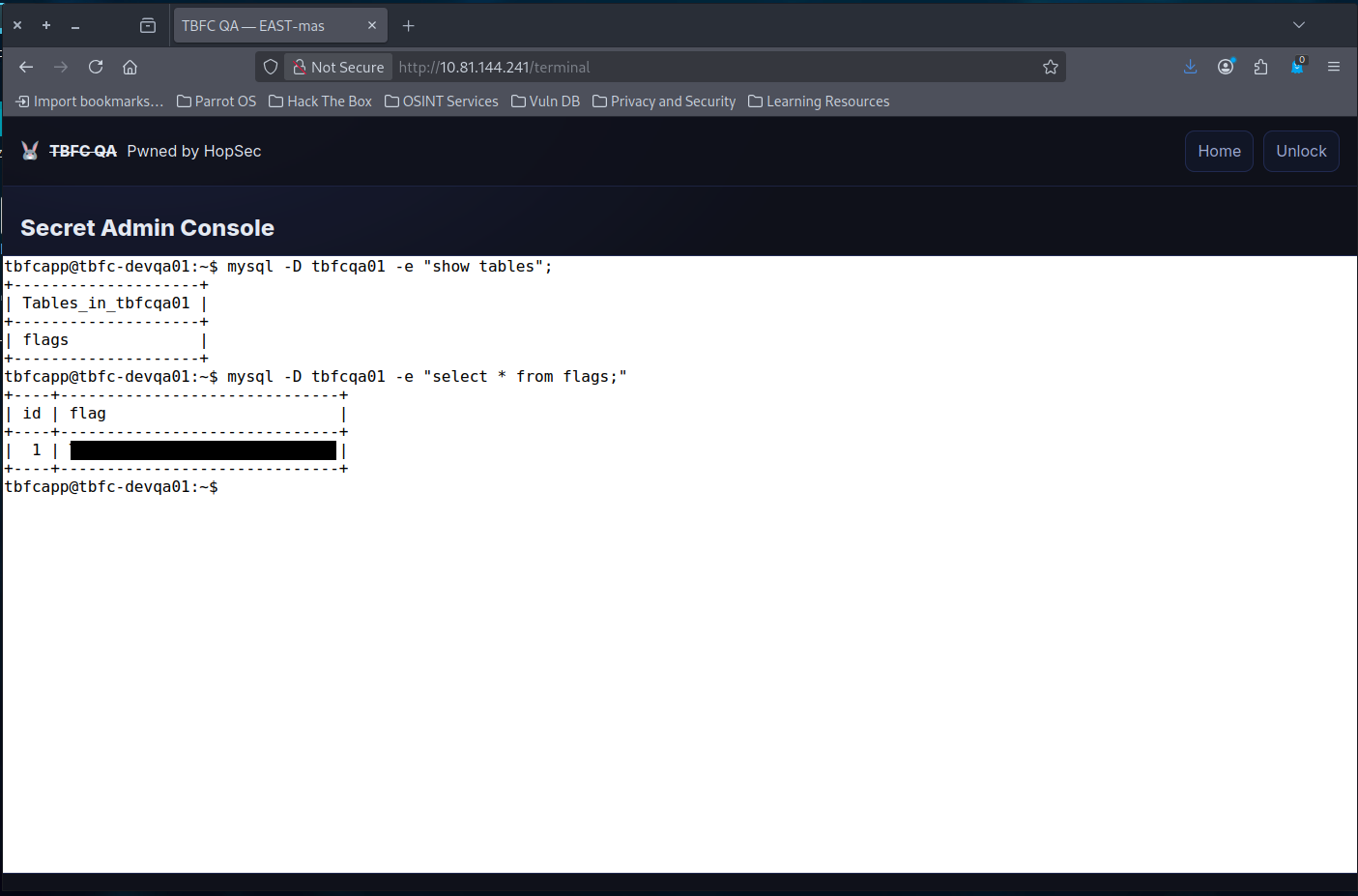
- Finally, what's the flag you found in the database?
- The history reveals a database of
tbfcqa01 mysql -D tbfcqa01 -e "show tables;"to view tablesmysql -D tbfcqa01 -e "select * from flags;"
- The history reveals a database of
- Log into the admin portal at




Lessons Learned
-
Multi-Protocol Reconnaissance: Mastered comprehensive port scanning techniques using Nmap (TCP full range, UDP scanning, and banner detection) to identify hidden services beyond the default 1000 ports, discovering that attackers often hide malicious services on non-standard ports like 21212 (FTP) and 25251 (custom TBFC application).
-
Service Enumeration and Exploitation: Learned to interact with discovered services using protocol-specific tools (FTP client, Netcat for custom protocols, dig for DNS queries) and post-exploitation techniques (ss/netstat for internal service discovery, MySQL querying) to progressively escalate access and extract sensitive information from both external and internal-only services.
Resources
TryHackMe
Dig CheatSheet
MySql CheatSheet
Nmap CheatSheet
NetCat CheatSheet